24
EN
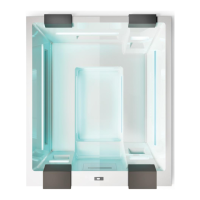
CHROMATHERAPY
Chromatherapy
is started by pressing the
“Light” key
Activates a sequence of 16 colours that vary in an automatic sequence.*
During the sequence, pressing the "Light" key again stops on the current colour (e.g., Red): the sequence is
interrupted and remains xed on the chosen colour.
If you want to change this colour, by repeatedly pressing the "Light" key you can run through all the colours to
choose a different one.
Once you have selected a xed colour, to return to the automatic sequence you must turn off and reactivate the function.
Hold the "Light" key for two seconds to turn off the function.
If not switched off manually, the function stops automatically after three hours.
The function can always be activated, even if the water level is low.
HEATER
The heater is automatically activated when the water temperature in the minipool is one degree lower than the value
set with the control panel. If not already active, the recirculation pump is automatically activated.
when the heater is in operation, a dot ashes on the bottom right of the display
OZONATOR
The ozonator is activated by the circulation pump and turns off automatically during the WHIRLPOOL function.
First run
minipool Phantom SP1



 To Next Page