21
EN
Shadow minipool
SYSTEM
MESSAGES
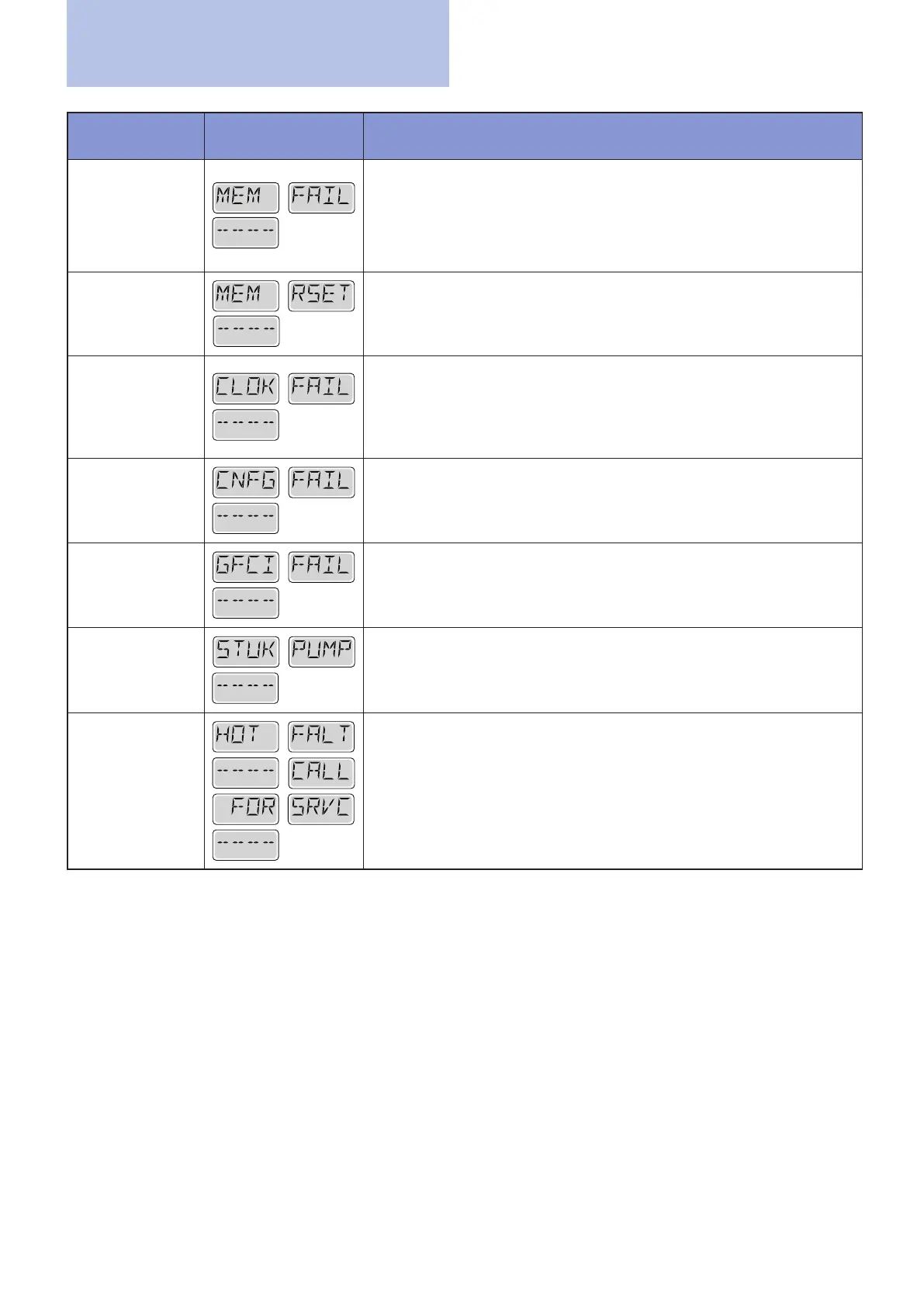
DISPLAY SCREEN DESCRIPTION OF SIGNALS AND POSSIBLE SOLUTIONS
Memory fault -
Checksum error*
- M022
Problem description: At power up, the system did not pass the checksum
(system integrity check). This indicates a problem in the operating system.
Solutions: Contact Technical Service.
Memory alarm
- Memory
cancellation* -
M021
Problem description: It appears after every change made to the system.
Solutions:
Contact your dealer or service organization if this message
appears on more than one power-up, or if it appears after the system
has been running normally for a period of time.
Memory fault
- Clock error
- M020 - Not
applicable on
BP1500
Solutions:
Contact Technical Service.
Conguration
error - The
minipool doesn’t
start
Solutions:
Contact Technical Service.
GFCI fault – The
system is not
connected to the
GFCI – M036
Problem description: ONLY IN NORTH AMERICA. It may indicate an
unsafe installation.
Solutions:
Contact Technical Service.
Pump blocked in
ON mode - M034
Problem description: The water may have overheated.
Switch the system off and keep away from the water. Do not get into the
minipool and prevent others from doing so.
Solutions:
Contact Technical Service.
Pump blocked in
ON mode since
last use - M035
Problem description: Switch the system off and keep away from the
water. Do not get into the minipool and prevent others from doing so.
Solutions:
Contact Technical Service.
* this message can be deleted from the top of the panel by pressing any key.
Alarms


 To Next Page