-7-
Fitting and Removing the
Dust Extractor Spout
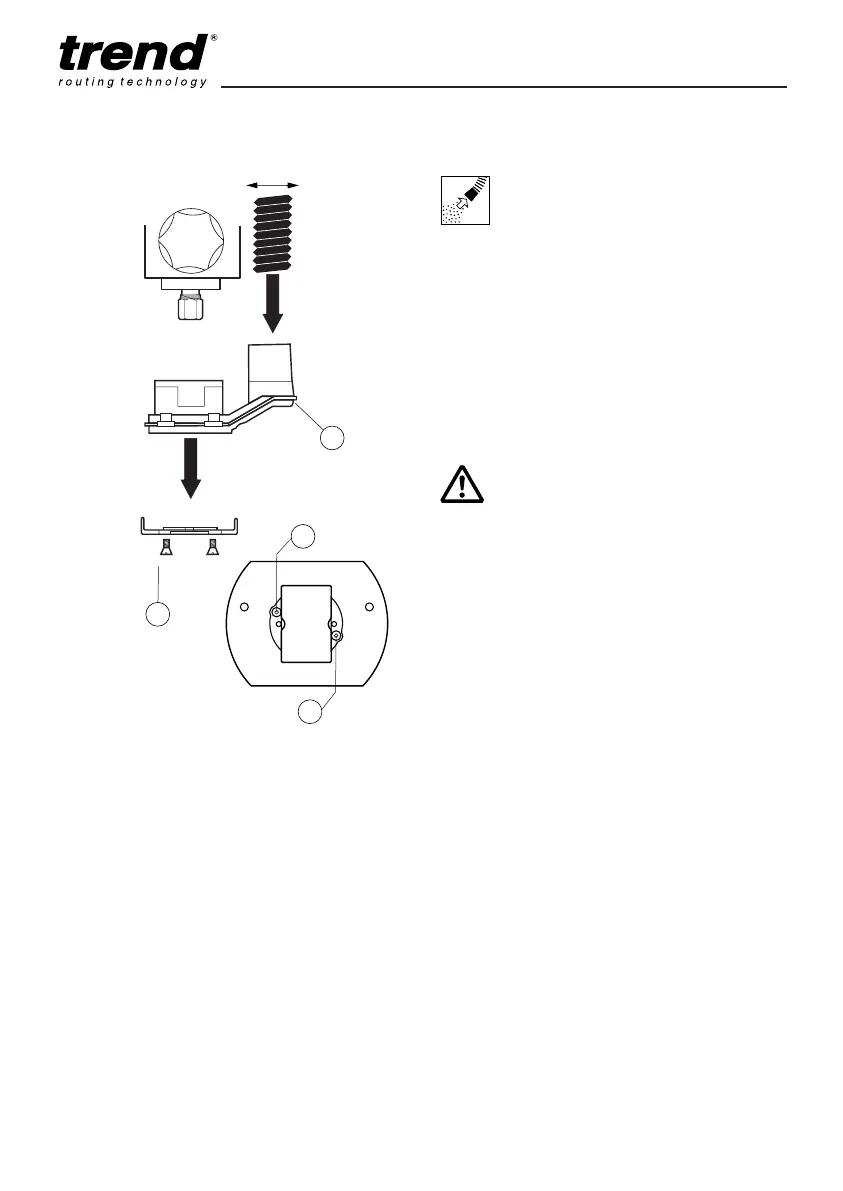
■ Insert the extractor spout (1) into the base of
the router.
■ Fit the two countersunk headed screws (2)
through holes (A) from beneath and screw-on
into the captivated nuts in the spout.
■ Dismantle in reverse order.
■ The extractor spout is suitable for dust
extractors with a hose diameter of 34mm.
T4
ASSEMBLY & ADJUSTMENT
Whenever possible use the
dust extraction spout with a
suitable extractor when routing.
MANU/T4 v2.0 30/8/07 1:08 pm Page 7


 To Next Page