© Copyright 2013 TRENDnet. All Rights Reserved.
TRENDnet User’s Guide
TEG-160WS
2
Product Hardware Features
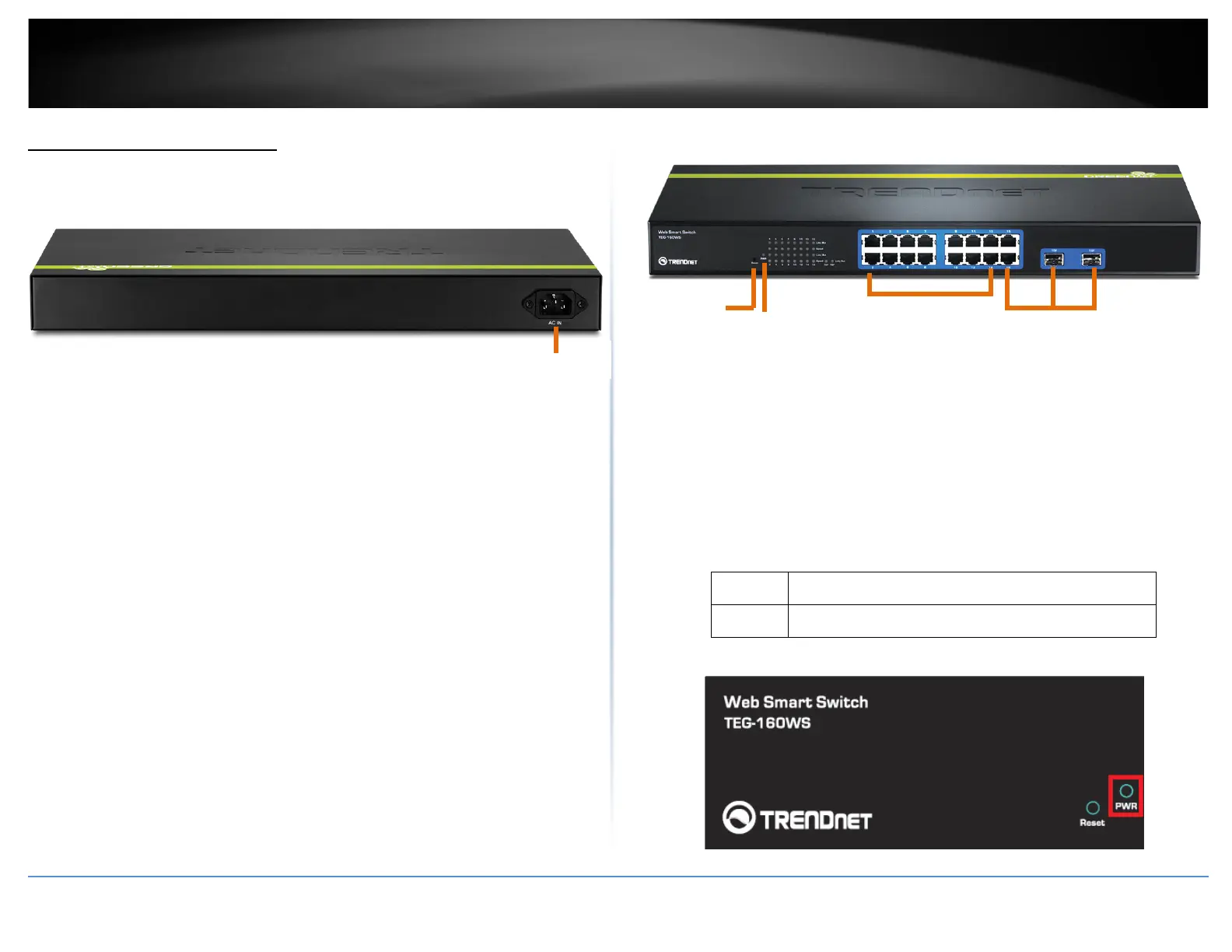
Rear View
• AC Power Connector – Connect the AC power cord to the connector and the
other side into a power outlet. (Input: 100~240VAC, 50/60Hz)
Front View
• Reset Button – Press and hold this button for 10 seconds and release to
reset the switch to factory defaults.
• Gigabit Ethernet Ports (1-16) – Connect network devices. Ports 15-16
are shared with SFP slots 15F-16F and disabled when SFP slots (15F-16F)
are in use and can be used for uplink or downlink connections.
• SFP slots (15F-16F) – Supports optional 1000BASE-SX/LX mini-GBIC
modules.
Diagnostic LEDs
• Power (PWR) LED
On :
When the Power LED lights on, the device is receiving
power.
Off :
When the Power turns off or the power cord is not
connected
Gigabit Ports
Power
Gigabit Ports w/
Reset
Button













 To Next Page