4
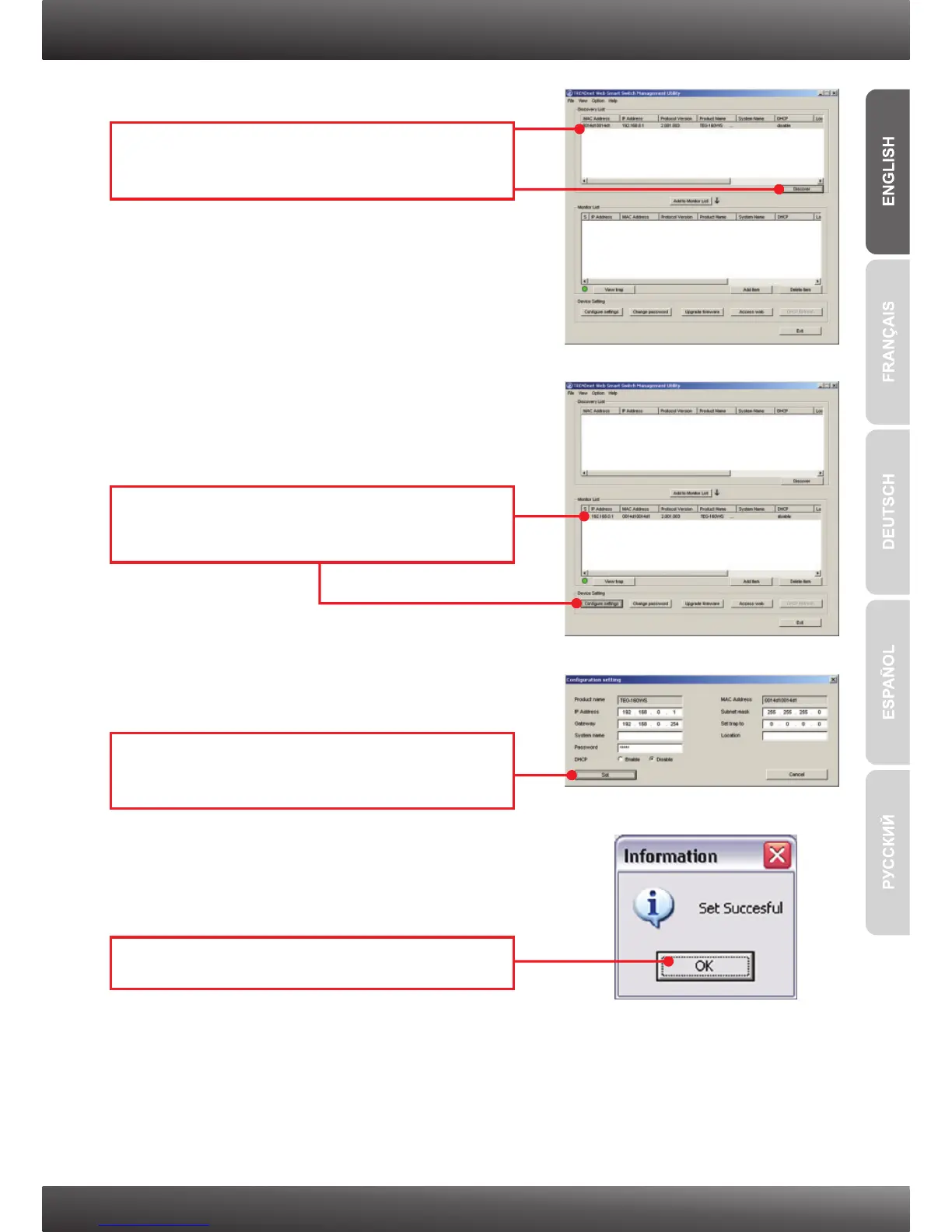
4. Click Discovery, and then double-click the
Switch that appears in the Discovery List.
5. Click the Switch in the Monitor List and then
click Configuration setting.
7. Click OK.
6. Configure the IP Address, Subnet mask,
Gateway, and Password. Click Set.











 To Next Page