© Copyright 2018 TRENDnet. All Rights Reserved.
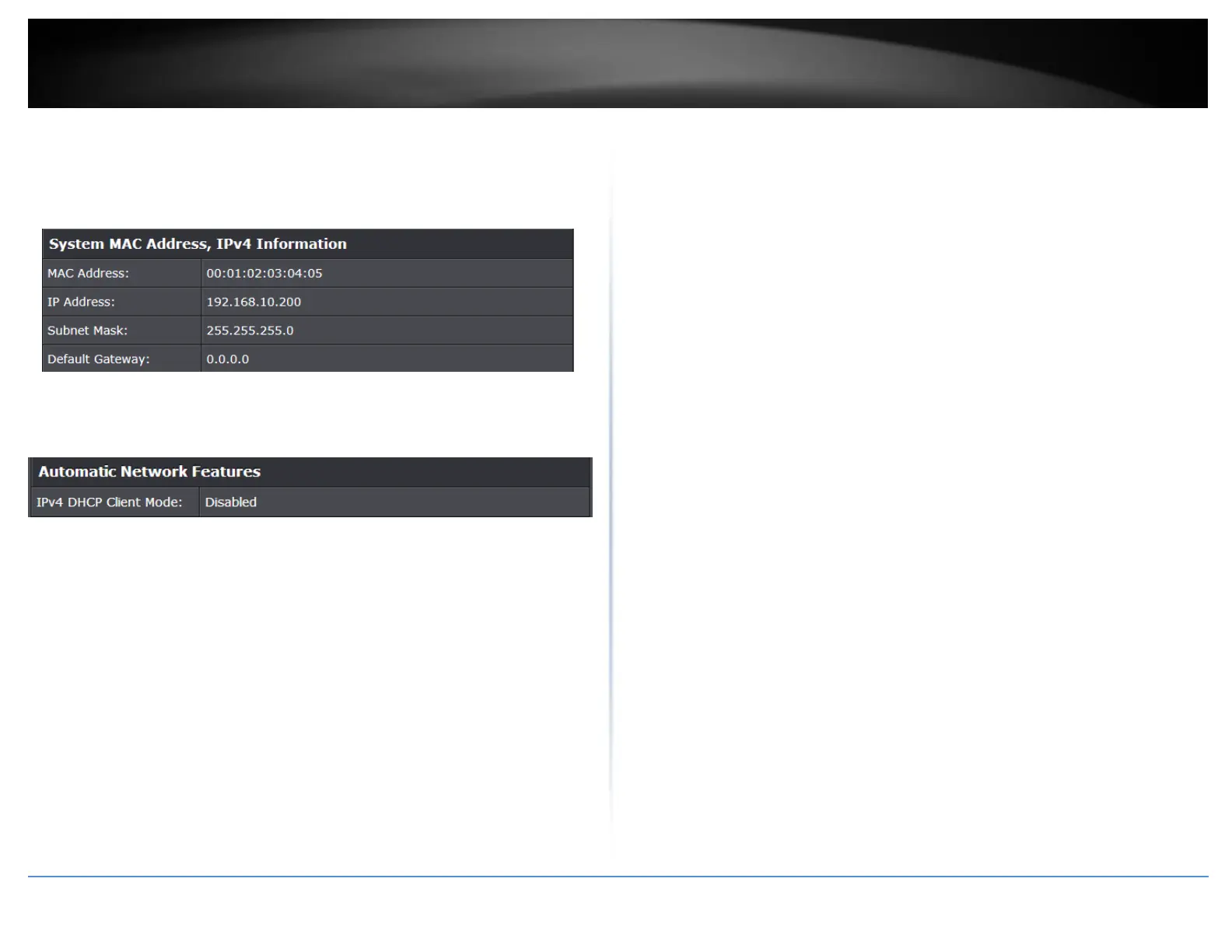
System MAC Address, IPv4 Information
MAC Address: Displays the switch system MAC address.
IP Address – Displays the current IPv4 address assigned to your switch.
Subnet Mask – Displays the current IPv4 subnet mask assigned to your switch.
Default Gateway – Displays the current gateway address assigned to your switch.
Automatic Network Features
IPv4 DHCP Client Mode: Displays if your switch IPv4 address setting is set to
DHCP client.


 To Next Page