© Copyright 2014 TRENDnet. All Rights Reserved.
Check the router LAN clients
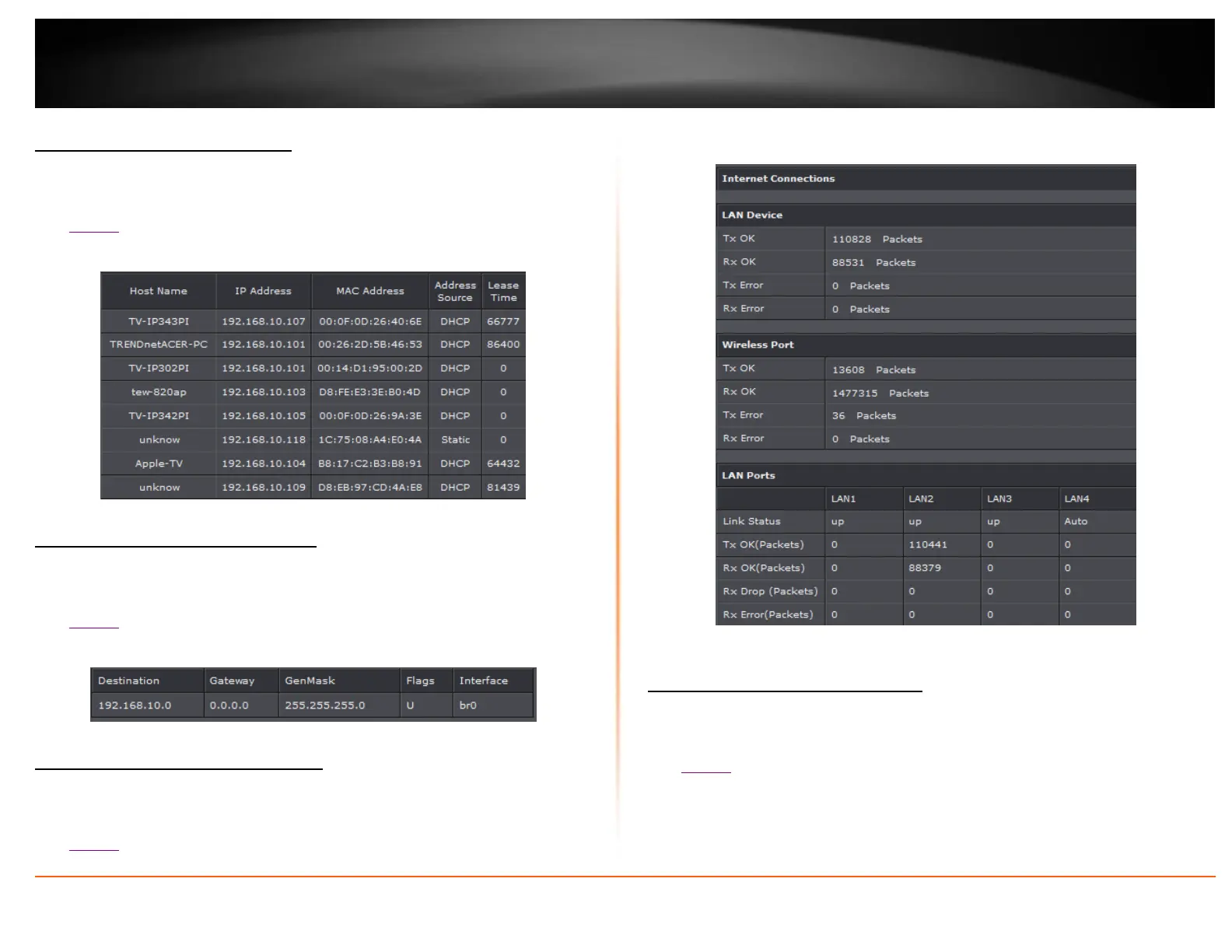
Status > LAN Clients
This page displays all connected clients.
1. Log into your router management page (see “Access your router management page”
on page 22).
2. Click on Status and LAN Clients.
3. Review the device information.
Check the router Routing Table
Status > Routing Table
This page displays all connected clients.
1. Log into your router management page (see “Access your router management page”
on page 22).
2. Click on Status and Routing Table.
3. Review the device information.
Check the router Basic Statistics
Status > Statistics > Basic Statistics
This page displays all connected clients.
1. Log into your router management page (see “Access your router management page”
on page 22).
2. Click on Status and Basic Statistics.
3. Review the device information.
Check the router DSL Statistics
Status > Statistics > DSL Statistics
This page displays all connected clients.
1. Log into your router management page (see “Access your router management page”
on page 22).
2. Click on Status and DSL Statistics.
3. Review the device information.














 To Next Page