© Copyright 2014 TRENDnet. All Rights Reserved.
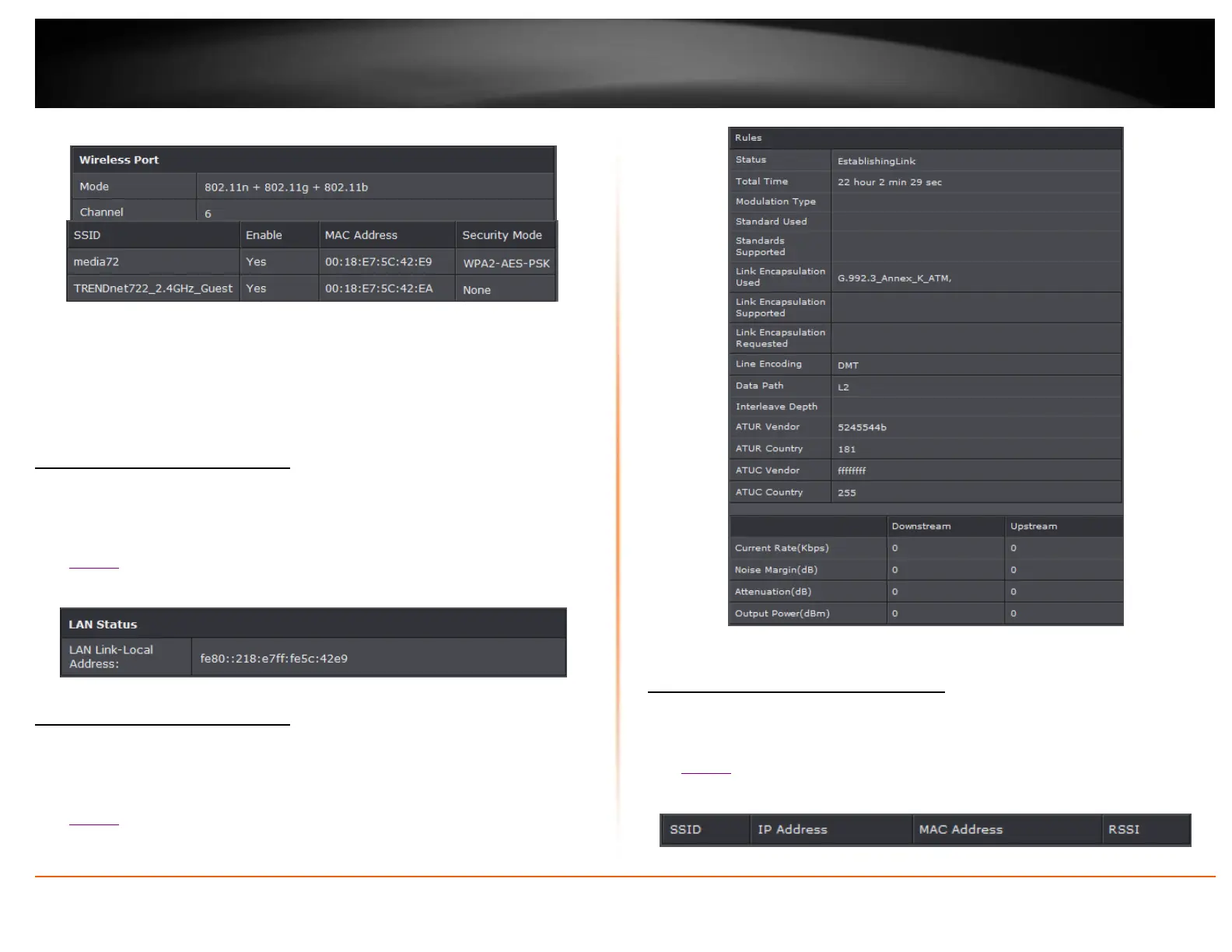
Wireless Interface
Mode: Current wireless mode
Channel: Wireless channel
SSID: Wireless network name
MAC Address: Wireless MAC address
Security Mode: Wireless encryption of security
Check the router IPv6 status
Status > IPv6 Info
You may want to check the system IPv6 information of your router.
1. Log into your router management page (see “Access your router management page”
on page 22).
2. Click on Status and IPv6 Info.
3. Review the device information.
Check the router IPv6 status
Status > ADSL Info
You may want to check the system ADSL information of your router.
1. Log into your router management page (see “Access your router management page”
on page 22).
2. Click on Status and ADSL Info.
3. Review the device information.
Check the router Wireless clients
Status > Wireless Clients
This page displays all connected wireless clients.
1. Log into your router management page (see “Access your router management page”
on page 22).
2. Click on Status and Wireless Clients.
3. Review the device information.














 To Next Page