©Copyright2015TRENDnet.AllRightsReserved.
TRENDnetUser’sGuide
THA‐103AC
3
OverCurrentProtection
Tripsrelaywhencurrentexceeds15Amps
WirelessExtender
AC750WiFiExtender
ConnectstoeitheranexistingWiFiACorWiFiNrouterandbroadcastsWiFiAC433or
N300networks
ExternalAntennas
PowerfulexternaldualbandantennasmaximizeWiFicoverage
OneTouchConnection
SecurelyconnecttotherouteratthetouchoftheWi‐FiProtectedSetup(WPS)button
LEDIndicators
LEDindicatorsconveydevicestatus
Compatibility
WorkswithwirelessG,NandACrouters
Interface
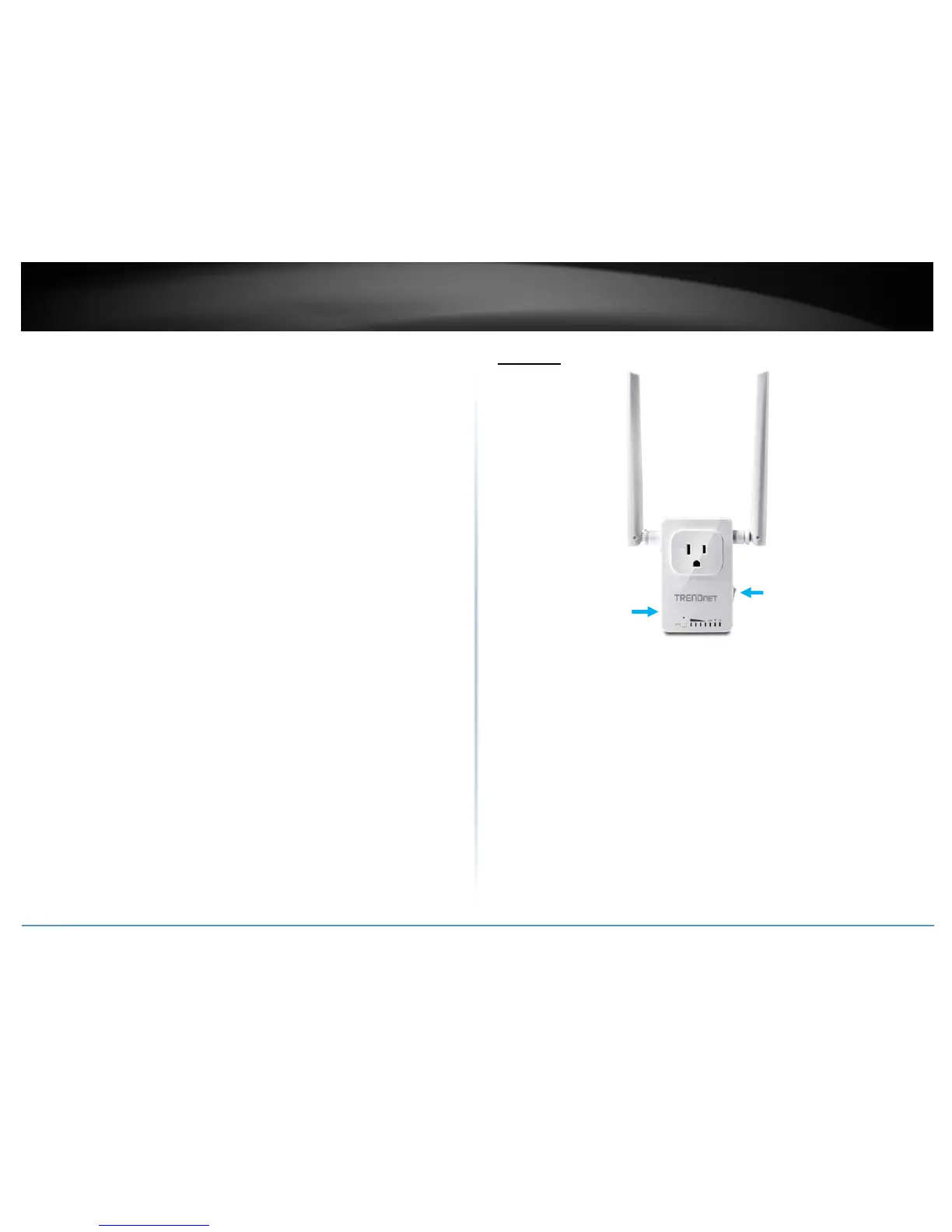
PowerSwitch(rightpanel)–Toturnthedeviceonandoffphysically
Resetbutton(leftpanel)–Pressandholdtheresetbutton for5secondstoresetthe
devicetofactorydefaultsettings.(savingthepreviousconfigurationis
recommended)
WiFiLED–Indicatesifwirelessnetworkison.
WhenpressingtheWPSbuttontoconnectto5Ghznetwork,thisLED
willflashandstaysolidoncetheconnectionisestablished.
WPSLED–WhenpressingtheWPSbuttontoconnectto2.4Ghznetwork,thisLEDwill
Flashandstaysolidoncetheconnectionisestablished.
WPS
Button–PressandholdtheWPSbuttonlessthan5secondstoconnectto2.4Ghz
network,longertoconnectto5Ghznetwork.
SignalLEDs–Displaysthesignalstrengthtotheconnectednetwork.
PowerSwitch
Resetbutton


 To Next Page