2
2. Hardware Installation
Note:
Note: The Mini-GBIC slots are shared with port 25 and 26 Gigabit Ethernet ports. When the
Mini-GBIC slots are in use, port 25 and 26 Gigabit Ethernet ports are disabled.
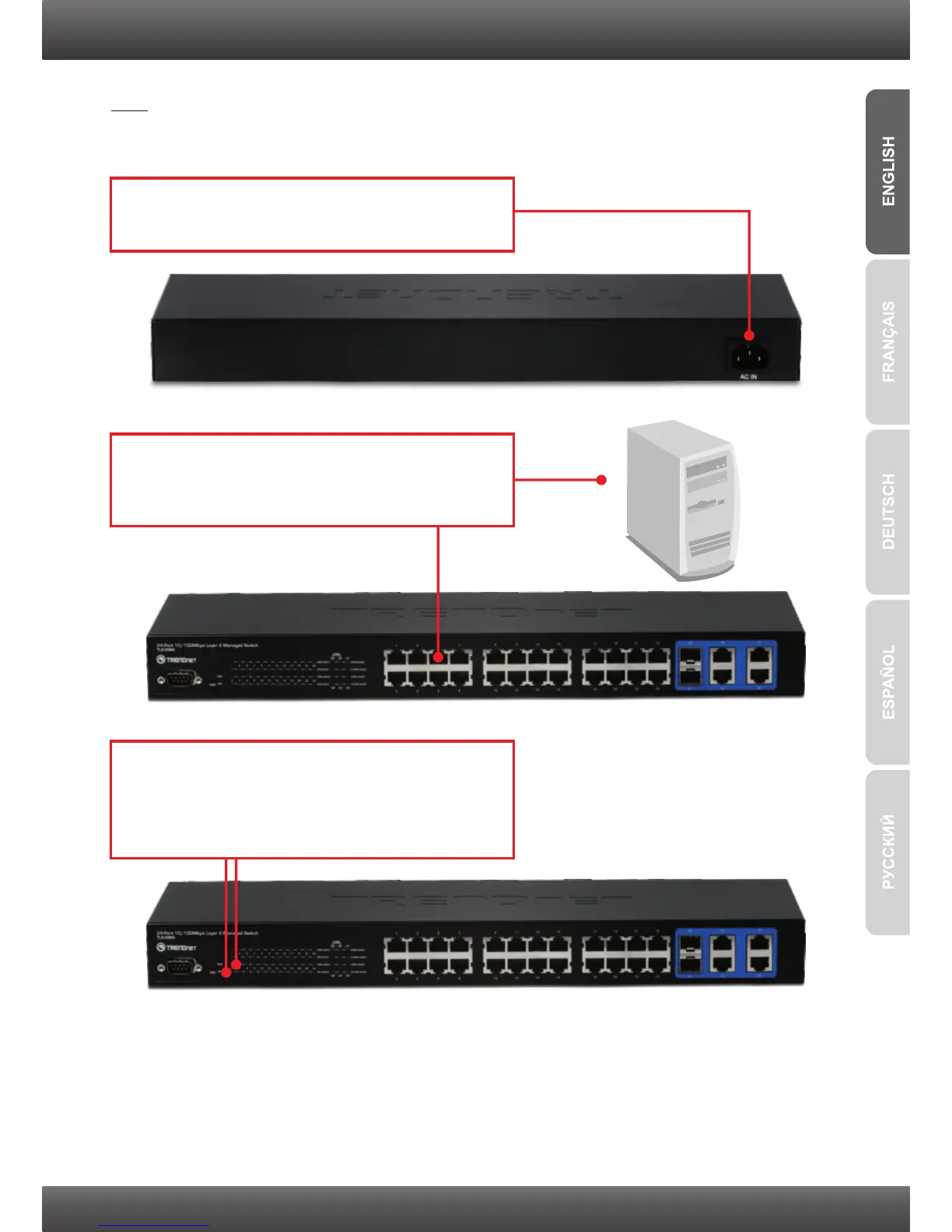
1. Connect the Power Cord to the TL2-E284 and
then to a power outlet.
2. Connect a Cat.5e or Cat.6 RJ-45 network
cable from the computer to an available
Ethernet port on the TL2-E284.
3. Verify that the following panel lights are on:
PWR(Power), SYS(System) and 10M LINK/
ACT, 100M LINK/ACT, 10/100M LINK/ACT or
1000 LINK/ACT.



 To Next Page