5
4. Configure the Switch
Note:
1. Before the Switch can be configured, a Static IP address must be assigned to your computer's
network adapter in the subnet of 192.168.10.x. Since the Switch's default IP address is
192.168.10.200, make sure no other network devices are assigned an IP address of
192.168.10.200. (Refer to Troubleshooting section on how to configure TCP/IP settings on your
PC.)
2. There are three methods of configuring the TL2-E284: Web Browser, Console Port and Telnet.
1. Using Web Browser
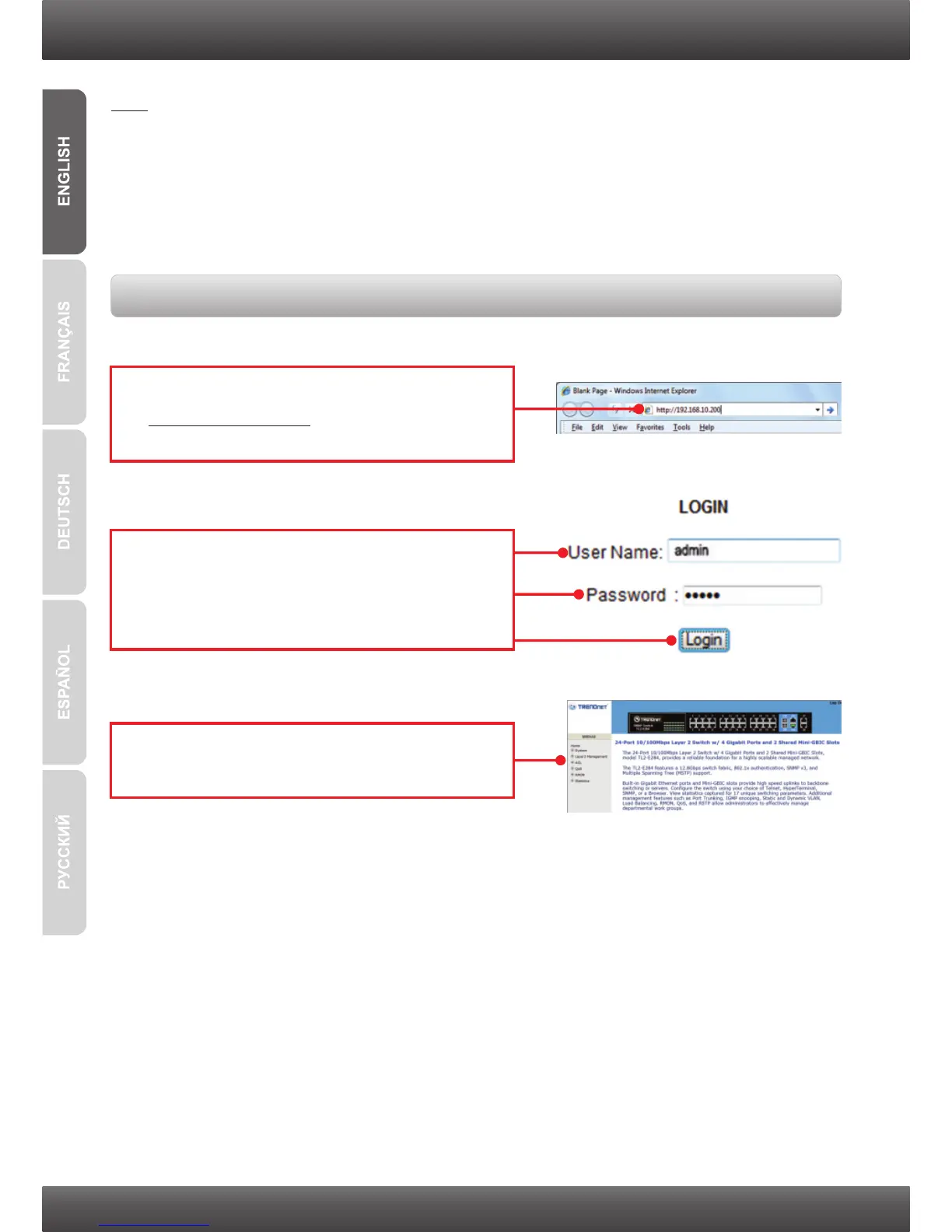
1. Open your web browser, type
http://192.168.10.200 in the Address bar, and
then press Enter.
2. Enter the User name and Password, and then
click Login. By default:
User Name: admin
Password: admin
3. Select the desired options for configuring the
switch.



 To Next Page