7
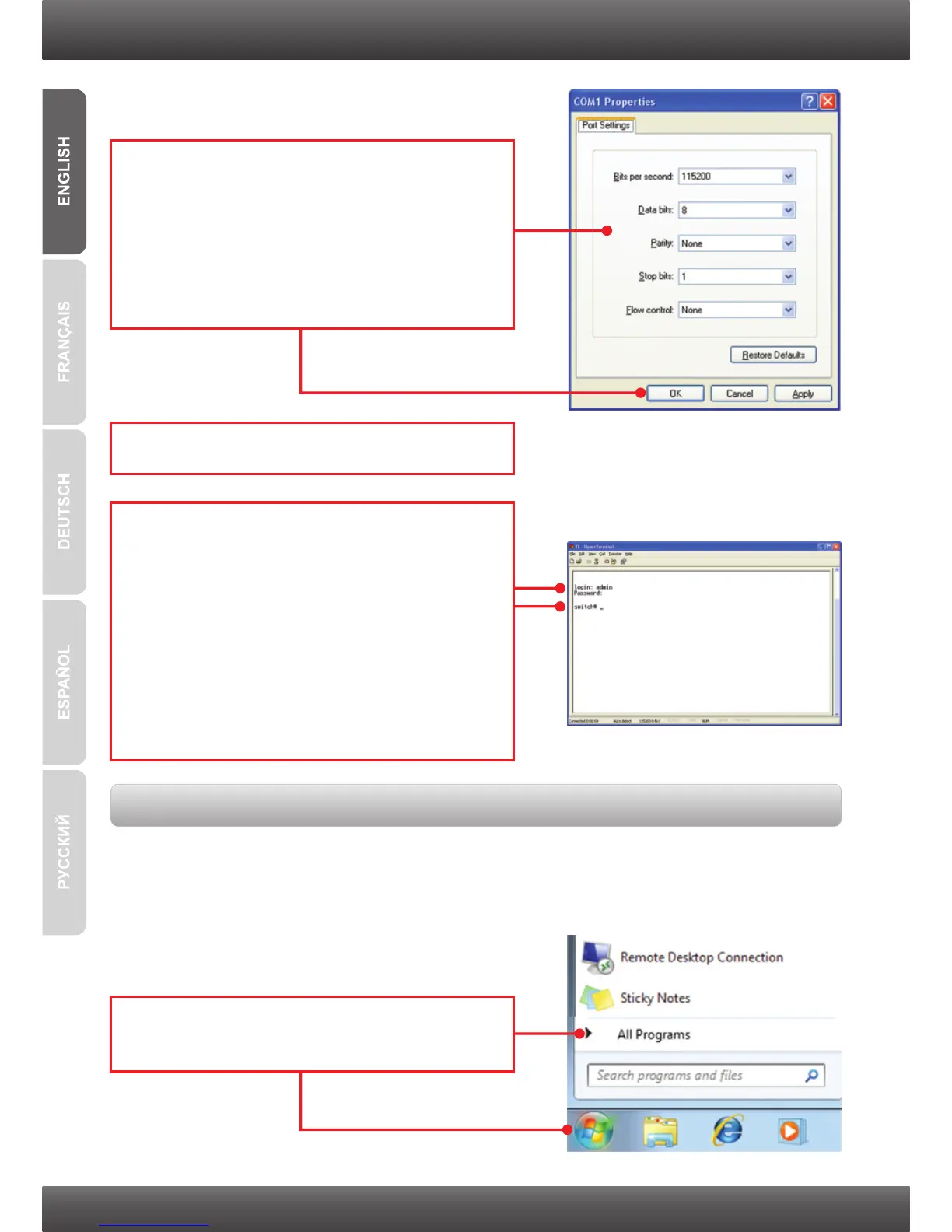
6. Press the Enter Key.
7. Enter the User Name for login. Then press the
Enter. Then Enter the Password and then
press Enter.
By default
login: admin
Password: admin
If you do not see the login prompt, please
power cycle the switch by unplugging the
power cord, wait 15 seconds and then plug it
back in.
5. Enter the following, click Apply and then
click OK.
Bits per second: 115200
Data bits: 8
Parity: None
Stop bits: 1
Flow control: None
The Telnet function may or may not be included with your computer's operating system. For
instructions on how to enable Telnet in Windows 7/Vista, please refer to the Troubleshooting
section.
3. Using Telnet
1. Click the Windows / Start icon on the bottom
left hand corner and click All Programs.



 To Next Page