EasyManua.ls Logo

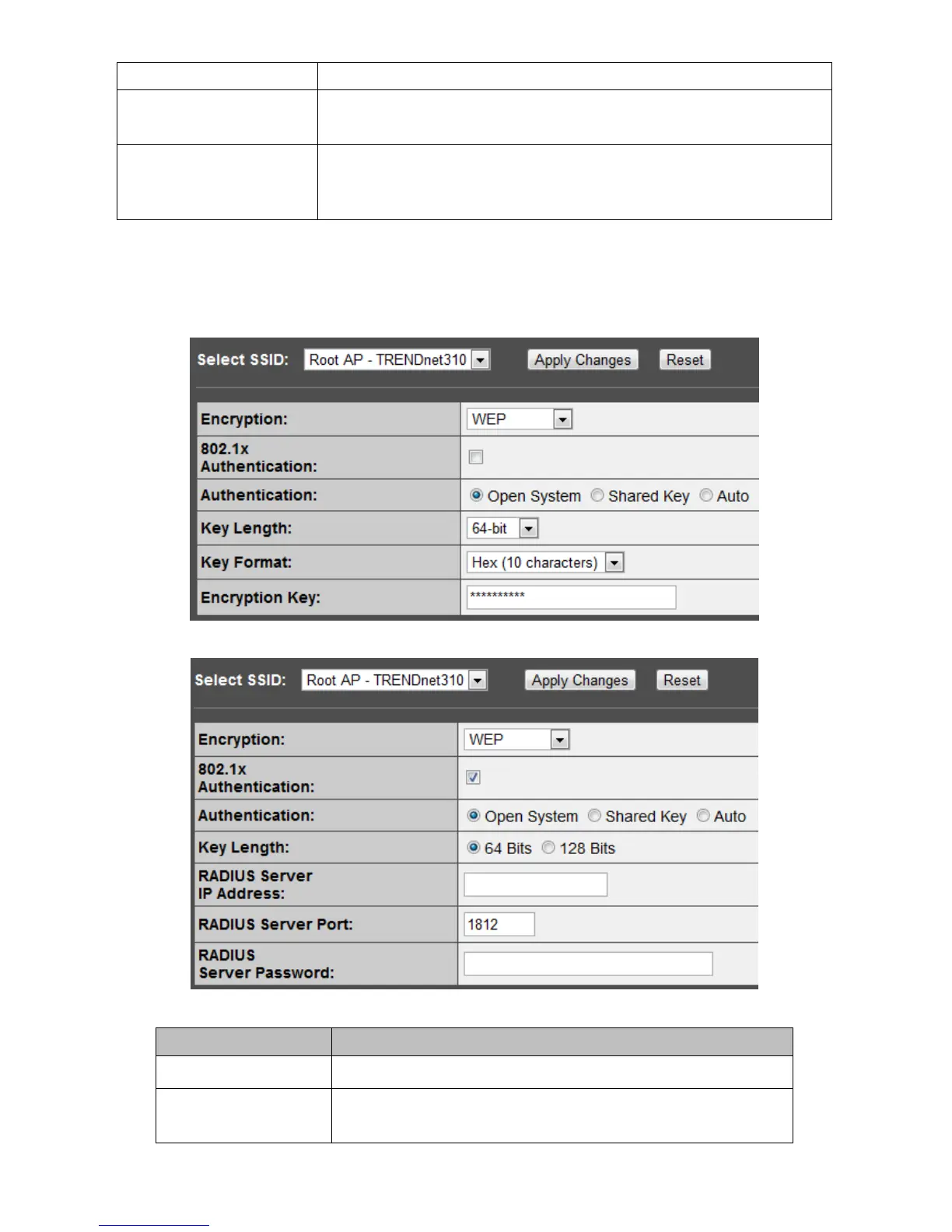
TRENDnet TPL-310AP - WEP Security

TRENDnet TPL-310AP
58 pages
Print Icon
To Next Page IconTo Next Page
To Previous Page IconTo Previous Page
Loading...
wireless network for recognizing.
Encryption
There are 5 modes for you to select: Disable, WEP, WPA, WPA2, and
WPA-Mixed. Please refer to the following description.
802.1x Authentication
Users that do not use this function or connecting to an open-wireless
network please skip this part. Please configure the settings in
accordance with the Certificated Server.
* Please click on the Apply Changes button or the Reset button to save/reset the configuration.
WEP Security
Items
Information
Encryption
Select a security encryption mode for this AP.
802.1x
Authentication
Check this option if to use an external 802.1x RADIUS server
for authentication.

Other manuals for TRENDnet TPL-310AP

Related product manuals