EasyManua.ls Logo

TRENDnet TPL-310AP - WPA Mixed

TRENDnet TPL-310AP
58 pages
Print Icon
To Next Page IconTo Next Page
To Previous Page IconTo Previous Page
Loading...
Pre-Shared Key
Enter the Pre-shared Key according to the pre-shared
key format you select. This is the shared secret between
AP and STA. This field must be filled with character.
longer than 8 and less than 64 lengths.(The default
value is 1234567890ab)
* Please click on the Apply Changes button or the Reset button to save/reset the configuration.
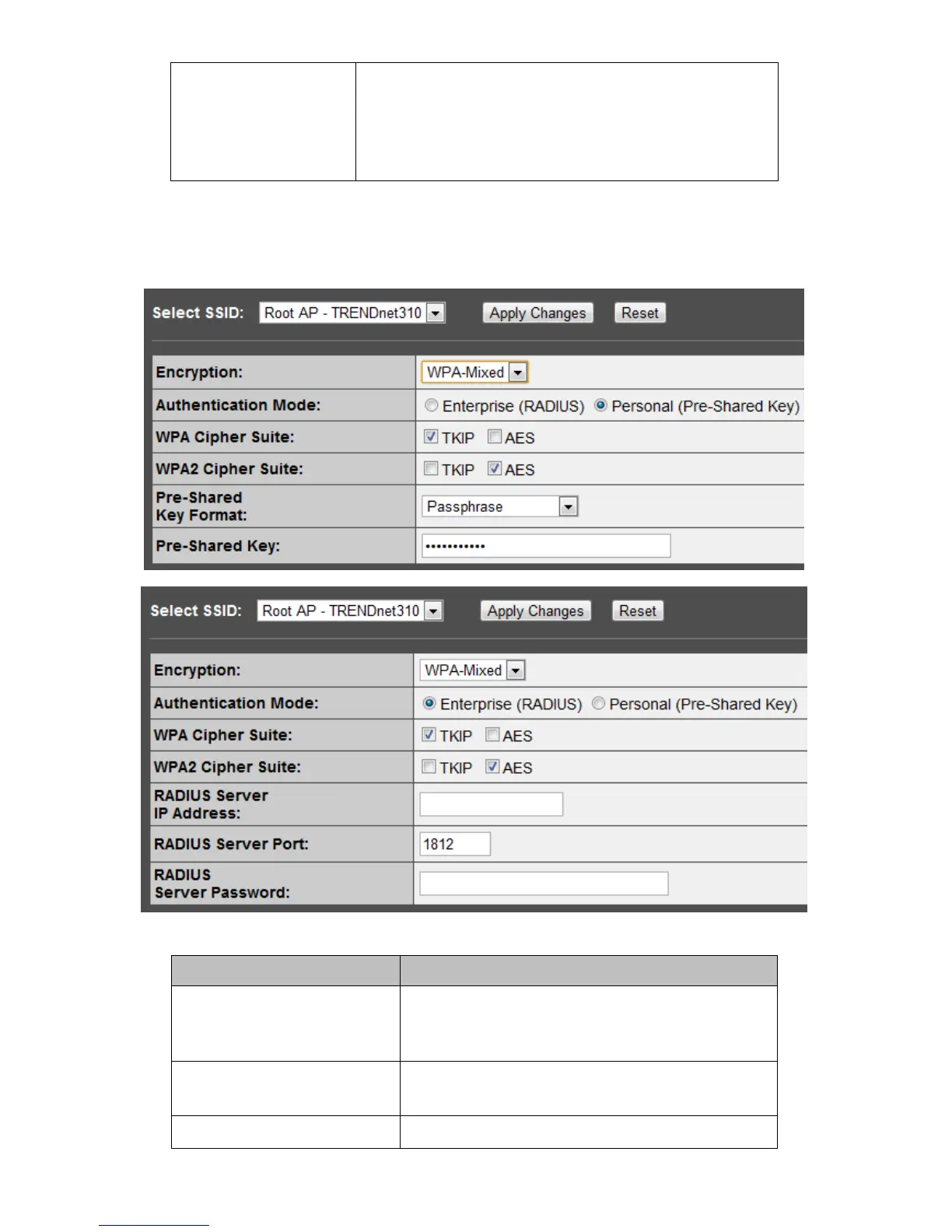
WPA Mixed
Items
Information
Authentication Mode
There are two items, “Enterprise (WPA-Radius)”
and “Personal (Pre-Shared Key)”. You can select
the mode by clicking the item.
WPA / WPA2 Cipher Suite
Select the WPA/WPA2 Cipher Suite to be TKIP or
AES.
Pre-Shared Key Format
To decide the format, select Passphrase or Hex in

Other manuals for TRENDnet TPL-310AP

Related product manuals