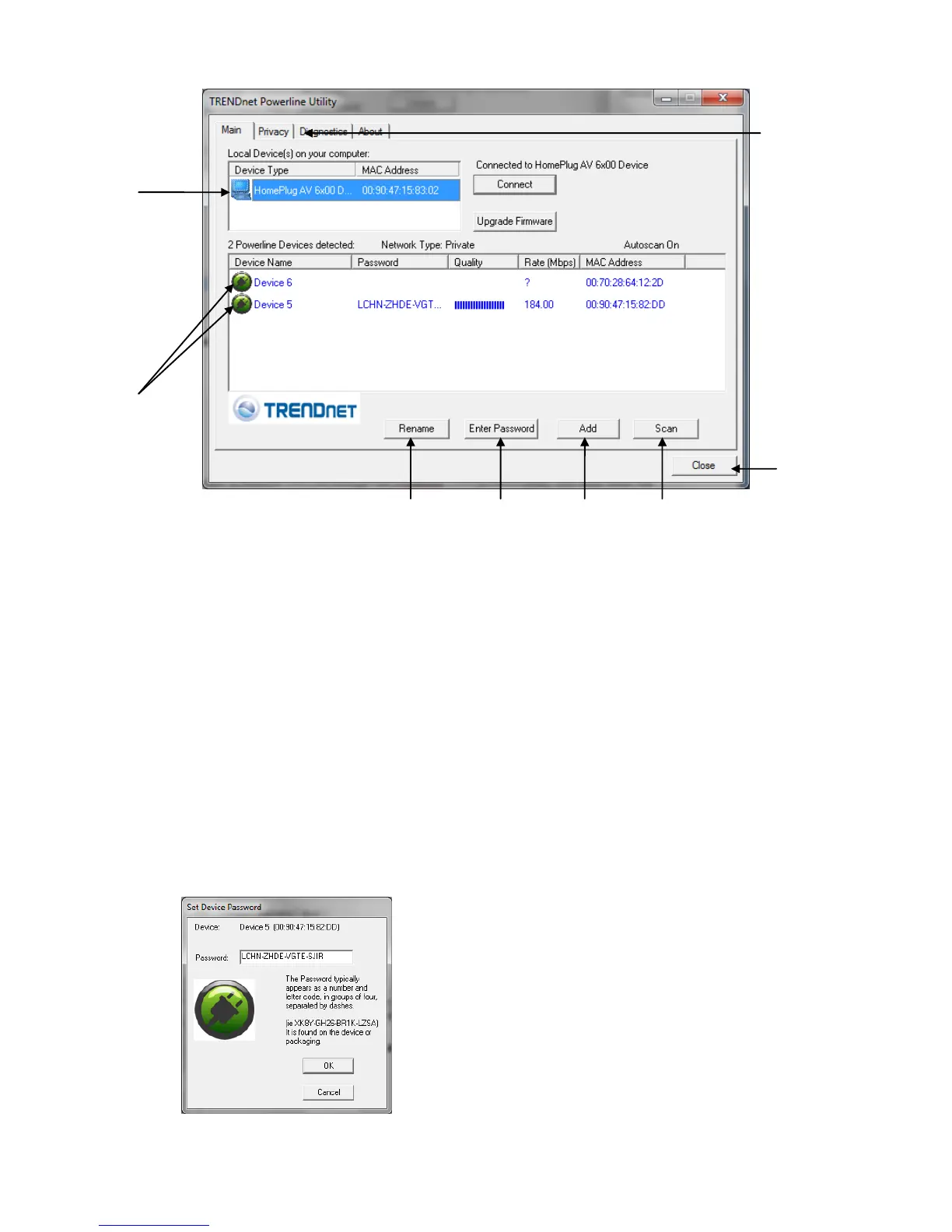
To apply changes to Remote Devices through the Powerline Configuration Utility, you must enter the
Device Password (DPW) for each Remote Device located on the Device Label.
If you have not already done so, please write down the 16-digit Device Password (DPW) and
corresponding MAC Address of each TPL-401E powerline adapter as this will be used to input into the
utility. This is located on the Device Label, please refer to Section 1.4.
Enter the 16-digit Device Password (DPW) for each Remote Device in the utility
1. Click one of the Remote Devices in the list.
2. Click Enter Password.
3. Type in the Device Password according to the corresponding MAC address. Then
click OK.












 To Next Page