©Copyright2016TRENDnet.AllRightsReserved.
TRENDnetUser’sGuide
TPL‐410AP/TPL‐410APK
2
Wireless
QuickSetup
Getupandrunninginminuteswiththeintuitiveguidedsetup
N300Wireless
Proven300MbpsWirelessN
WirelessCoverage
ExpandedwirelesscoveragewithMIMOantennatechnology
Pre‐Encrypted
Foryourconveniencethewirelessispre‐encryptedwithaunique
password
PushButtonConnection
ConnectwirelessdevicesatthetouchoftheWi‐FiProtectedSetup(WPS)
button
Compatibility
Compatiblewithlegacy2.4GHzWirelessdevices
* Maximum wireless signal rates are referenced from IEEE 802.11 theoretical
specifications.Actualdatathroughputandcoveragewillvarydependingoninterference,
networktraffic,buildingmaterialsandotherconditions
**500MbpsisthemaximumphysicalPowerlinedatarate.Datathroughputmayvaryby
circuit wire condition overheads. Maximum of 8
adapters (nodes) recommended for
streamingvideoacrossyournetwork.
***Powerlinenetworking islimitedto thesameelectrical system.Powerstrips, GFCI
outlets,andAFCIcircuitbreakersmaydegradePowerlinesignals.
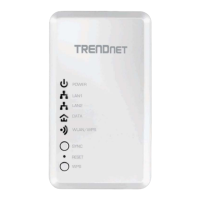
ProductHardwareFeatures
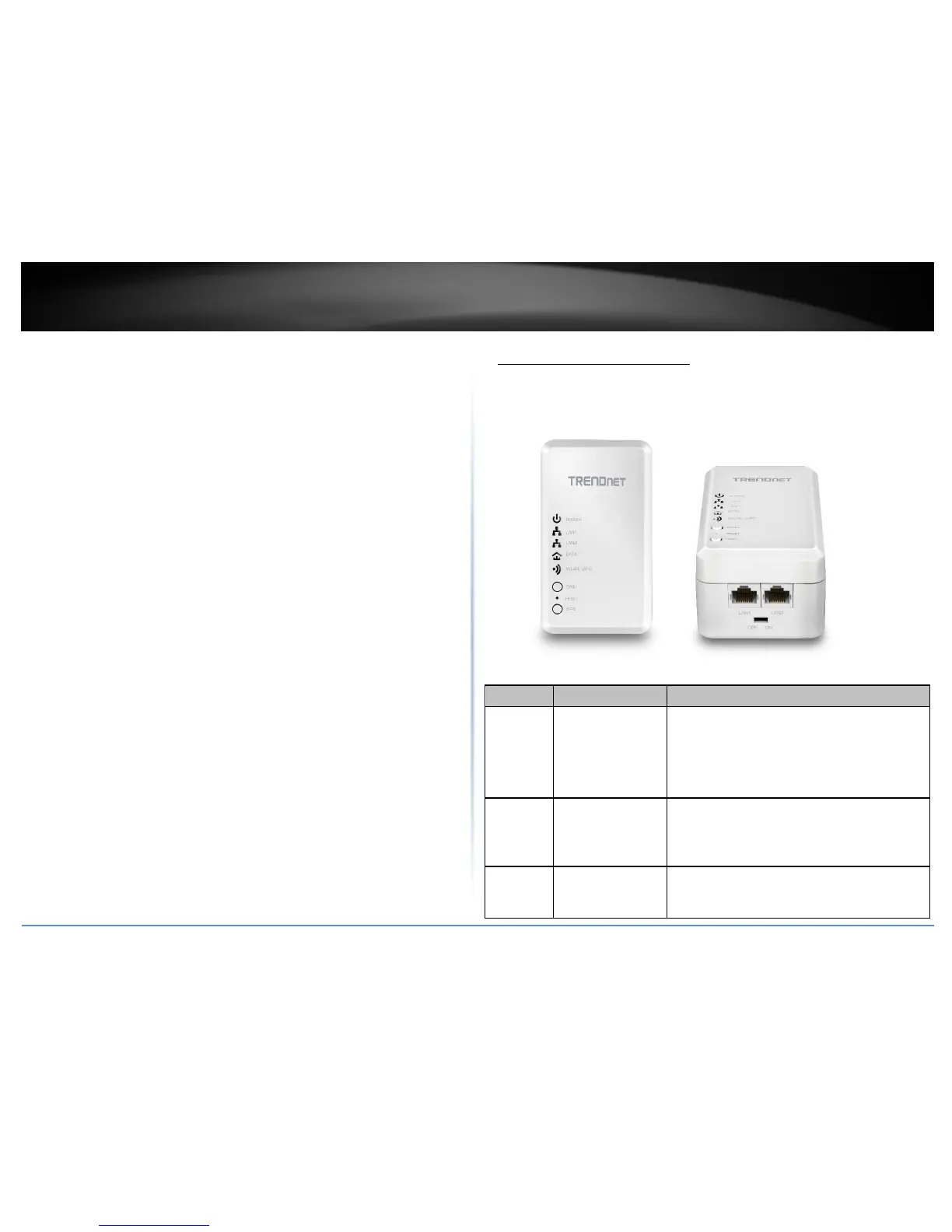
TPL‐410AP
Hardware
Button Action Function
Sync
Sync
Pushthenrelease
InitiateSync/Connectionandgeneraterandomnetwork
name/key(PLLEDwillstartblinking).
Note:ThesecondaryoradditionalPowerlineadapter’s
Syncbuttonmustalsobepushedwithin2minutes(120
sec)ofpushingtheSyncbuttononthefirstadapterin
ordertoestablishconnectivity.
Reset
Reset
Push/Holdfor10
seconds,
thenrelease
Resetdevicetofactorydefaults(WLANLEDwillgored).
Note:Willresettothefactorydefaultprivatenetwork
name“HomePlugAV”.
WPS
WPS
Push/Holdfor3
seconds,thenrelease
ActivatesWPS(Wi‐FiProtectedSetup).TheWPSLEDwill
blinktoindicateWPShasbeensuccessfullyactivated.



 To Next Page