EasyManua.ls Logo

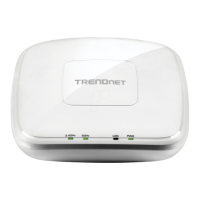
TRENDnet TEW-735AP - User Manual

TRENDnet TEW-735AP
46 pages
Print Icon
To Next Page IconTo Next Page
Loading...

Table of Contents

Other manuals for TRENDnet TEW-735AP

Question and Answer IconNeed help?

Do you have a question about the TRENDnet TEW-735AP and is the answer not in the manual?

Summary

Product Overview

Management

Operation Modes

Explains different functional modes of the access point.

Security Features

Outlines essential security features for wireless networks.

Product Preset Information

Hardware Installation

Wireless Performance Considerations

Operation Modes

Access Point Mode

Default mode for connecting wireless clients.

WDS Bridge Mode

Configures the device as a wireless distribution system bridge.

WDS AP Mode

Operates as both a WDS bridge and an access point.

Universal Repeater Mode

Extends the range of an existing wireless network.

System Configurations

First Time Login

Steps to access the device's web interface for the first time.

Setup Wizard

Status Information

Wireless Client List

IP Settings

Bridge Address Configuration

DHCP Server

Wireless Basic Settings

Security Settings

Advanced Wireless Settings

MAC Filter

WPS Wi-Fi Protected Setup

Management Administration

Administration Settings

Change login password, system name, and idle timeout.

Management VLAN

SNMP Setting

Backup; Restore Settings

Firmware Upgrade

Diagnosis Tool

Appendix

Regulations

Summary

Product Overview

Management

Operation Modes

Explains different functional modes of the access point.

Security Features

Outlines essential security features for wireless networks.

Product Preset Information

Hardware Installation

Wireless Performance Considerations

Operation Modes

Access Point Mode

Default mode for connecting wireless clients.

WDS Bridge Mode

Configures the device as a wireless distribution system bridge.

WDS AP Mode

Operates as both a WDS bridge and an access point.

Universal Repeater Mode

Extends the range of an existing wireless network.

System Configurations

First Time Login

Steps to access the device's web interface for the first time.

Setup Wizard

Status Information

Wireless Client List

IP Settings

Bridge Address Configuration

DHCP Server

Wireless Basic Settings

Security Settings

Advanced Wireless Settings

MAC Filter

WPS Wi-Fi Protected Setup

Management Administration

Administration Settings

Change login password, system name, and idle timeout.

Management VLAN

SNMP Setting

Backup; Restore Settings

Firmware Upgrade

Diagnosis Tool

Appendix

Regulations

TRENDnet TEW-735AP Specifications

General IconGeneral
Modulation-
Frequency band2.4 GHz
Number of users- user(s)
Channels quantity- channels
Networking standardsIEEE 802.11az, IEEE 802.11b, IEEE 802.11g, IEEE 802.11n, IEEE 802.3, IEEE 802.3af, IEEE 802.3u, IEEE 802.3x
Ethernet LAN data rates10, 100 Mbit/s
Maximum data transfer rate300 Mbit/s
InternalNo
CertificationCE, FCC
WAN connectionEthernet (RJ-45)
Security algorithmsWPA2
Operating temperature (T-T)0 - 45 °C
Power supply12 W
AC input voltage100 - 240 V
AC input frequency50 - 60 Hz
Cables includedLAN (RJ-45)
Antenna featuresIntegrated antenna
Antennas quantity2
Antenna gain level (max)4 dBi
Weight and Dimensions IconWeight and Dimensions
Depth60 mm
Width128 mm
Weight210 g

Related product manuals