
 Need help?
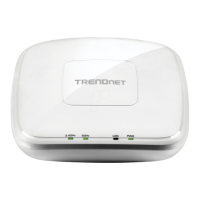
Do you have a question about the TRENDnet TEW-821DAP and is the answer not in the manual?
Step-by-step instructions for connecting power and network cables, and checking LED indicators for proper setup.
Guides users on configuring computer network settings for Windows 7, Vista, XP/2000 to connect to the access point.
Instructions on how to log in to the TEW-821DAP's web-based management interface using default credentials.
Describes how to configure wireless network settings such as mode, SSID, and channel width in Access Point mode.
Guides on setting up SSIDs, hiding SSIDs, station separation, and selecting wireless security modes.
Compares WEP, WPA, and WPA2 encryption types, detailing their compatibility, performance, and security levels.
Provides steps to configure WPA-Personal or WPA2-Personal security modes with pre-shared keys for wireless networks.
Explains how to connect wireless devices using Wi-Fi Protected Setup (WPS) via Push Button or PIN methods.
Step-by-step guide to configure the device as a client bridge and connect to a wireless network via site survey.
 General
| Wireless Standards | IEEE 802.11ac, IEEE 802.11n, IEEE 802.11g, IEEE 802.11b, IEEE 802.11a |
|---|---|
| Frequency Band | 2.4 GHz, 5 GHz |
| Maximum Wireless Speed | Up to 1200 Mbps |
| Ethernet Ports | 1 x 10/100/1000 Mbps Gigabit Ethernet |
| Power over Ethernet (PoE) | Yes |
| Wireless Security | WPA, WPA2, WEP |
| Operating Modes | Access Point |
| Weight | 1.1 lbs |










 To Next Page
