
 Need help?
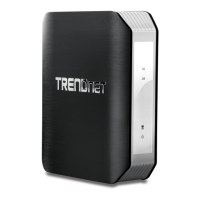
Do you have a question about the TRENDnet TEW-815DAP and is the answer not in the manual?
Guides on how to access the device's web-based management interface.
Outlines the steps for configuring initial wireless network name (SSID) and security.
Step-by-step guide to configure the device to operate as an access point.
Configures SSID, frequency, channel, and bandwidth for wireless networks.
Guide on selecting appropriate security standards like WEP, WPA, or WPA2.
Details setting up security modes like WPA-PSK and WPA2-PSK for network protection.
Explains how to use Wi-Fi Protected Setup (WPS) for easy device connection.
Provides tips to improve wireless signal strength and stability by minimizing obstructions.
Guides on configuring a wireless bridge between access points using WDS.
Guides on configuring the device to operate as an access point repeater.
Guides on manually configuring the device to operate in client bridge mode.
Controls network access by allowing or denying devices based on MAC address.
Restores the access point to its original factory settings to resolve issues.
Instructions for updating the device's firmware to the latest version.
Solutions for common problems when accessing the access point management page.
Addresses issues related to connecting wirelessly to the access point.
 General
| Brand | TRENDnet |
|---|---|
| Model | TEW-815DAP |
| Category | Wireless Access Point |
| Language | English |









 To Next Page

