
 Need help?
Do you have a question about the TRENDnet TEW-814DAP and is the answer not in the manual?
Steps to connect and set up the access point.
Guide to accessing the device's web interface for configuration.
Configuration for using the device as a standard access point.
Configuring the AP to act as a wireless client to an existing network.
Extending the range of an existing wireless network.
Combining AP mode with WDS bridging for simultaneous functionality.
Planning steps and parameters required for WDS setup.
Detailed steps for configuring a WDS wireless bridge.
Steps to connect the AP to an existing wireless network as a client.
Configuring the AP to extend the range of an existing wireless network.
Restoring the device to its original settings.
Restarting the device and updating its software.
 General
| Frequency Bands | 2.4 GHz, 5 GHz |
|---|---|
| Security | WPA, WPA2, WEP |
| Wireless Standards | IEEE 802.11n, IEEE 802.11g, IEEE 802.11b |
| Power over Ethernet (PoE) | Yes |
| Operating Modes | Access Point |
| Maximum Wireless Speed | 1200 Mbps (300 Mbps on 2.4 GHz, 867 Mbps on 5 GHz) |
| Ethernet Ports | 1 x Gigabit Ethernet (10/100/1000 Mbps) |
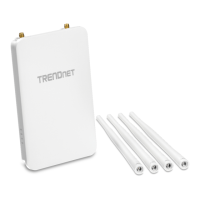
| Antennas | 4 x Detachable Dual-Band Antennas (2 x 2.4 GHz, 2 x 5 GHz) |










 To Next Page
