
 Need help?
Do you have a question about the TRENDnet TEW-825DAP and is the answer not in the manual?
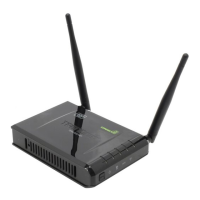
Highlights key functionalities and benefits of the AC1750 Dual Band PoE+ Access Point.
Guides on how to connect various wireless devices to the access point's network.
Provides step-by-step instructions for physically installing the access point.
Details the process of mounting the access point using its plate.
Instructions on how to access the device's web-based management interface.
Configuration of administrator account, password, and idle timeout for the access point.
Configures basic network parameters like IP mode, IP address, subnet mask, and gateway.
Configures wireless settings such as Band Steer, 802.11 mode, channel, SSID, and security.
Guide to selecting the appropriate wireless security standard (WEP, WPA, WPA2).
Steps to configure wireless security settings for both 2.4GHz and 5GHz bands.
Configuration steps for WPA/WPA2 Personal security modes.
Configuration steps for WPA/WPA2 Enterprise security modes using RADIUS.
Instructions for using WPS Push Button and PIN methods.
Instructions on how to access the device's web-based management interface.
Details actions for WPS using Virtual Push Button or PIN methods.
Describes the function of the Access Point operating mode.
Explains the Client Bridge mode for wireless connection.
Describes WDS Access Point, Bridge, and Station modes.
Explains the Repeater mode for extending wireless network coverage.
Basic configuration settings for Access Point mode.
Instructions for configuring MAC address filtering for wireless clients.
Settings for configuring the Wireless Distribution System (WDS) link.
Restoring the access point to its original factory default settings.
Steps to download and install firmware updates for the access point.
Troubleshooting steps for accessing the management page when it cannot be displayed.
Troubleshooting steps for internet connectivity issues after using the wizard.
Steps to resolve problems with connecting wirelessly to the access point.
 General
| Brand | TRENDnet |
|---|---|
| Model | TEW-825DAP |
| Category | Wireless Access Point |
| Language | English |








 To Next Page