7
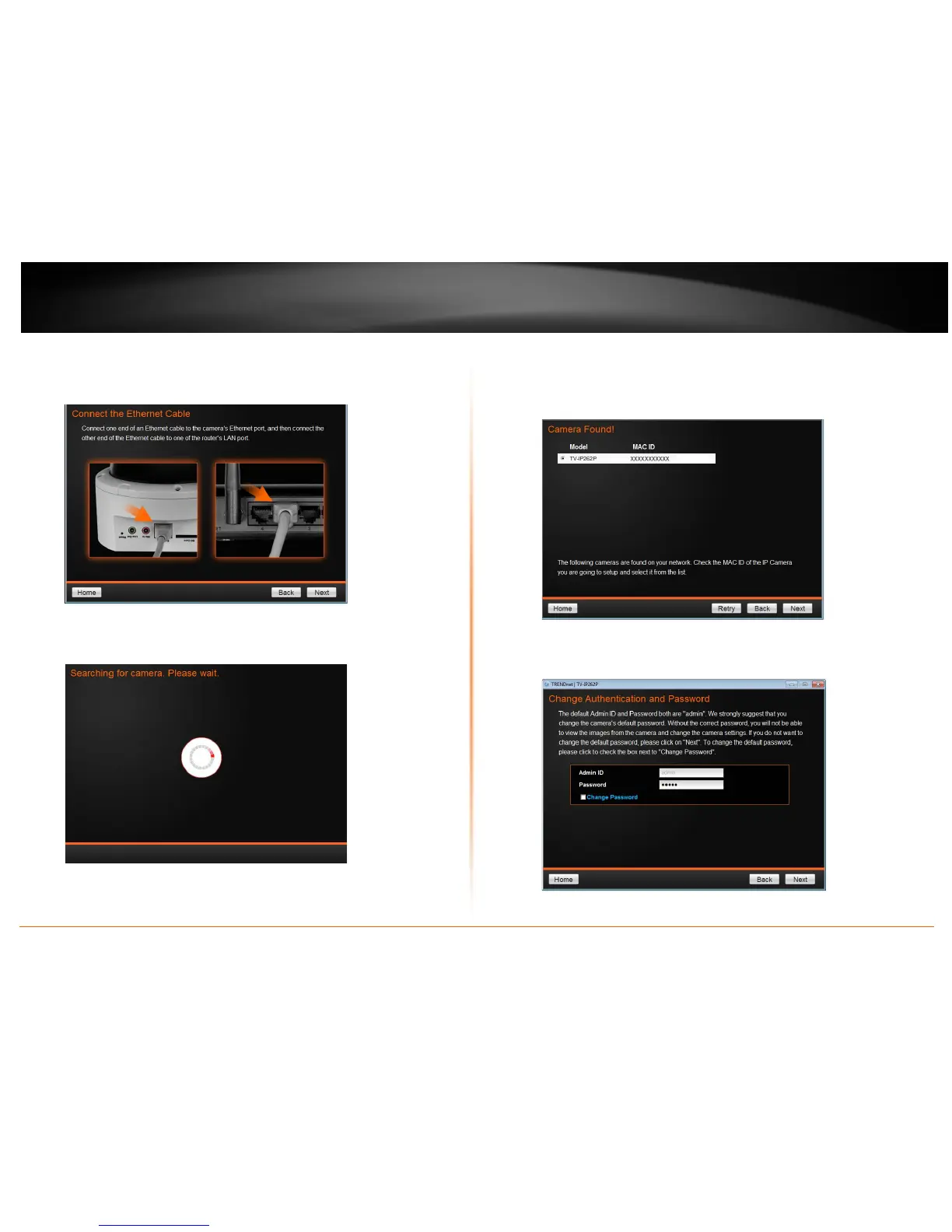
5. Connect one end of the Ethernet (Network) Cable to the camera’s Ethernet
Port, and then connect the other end of the Ethernet cable to the router’s LAN
Port.
6. Wait while camera is searching.
7. The founded cameras will show on the screen. The camera already selected by
default if you have only one camera installed. If you have more than one
camera in the same Network, you will need to identify the camera by the MAC
ID.
8. Type in the Password. The password is “admin” by default. If you would like to
change camera’s password, check the Change Password now.


 To Next Page