6
Camera Installation
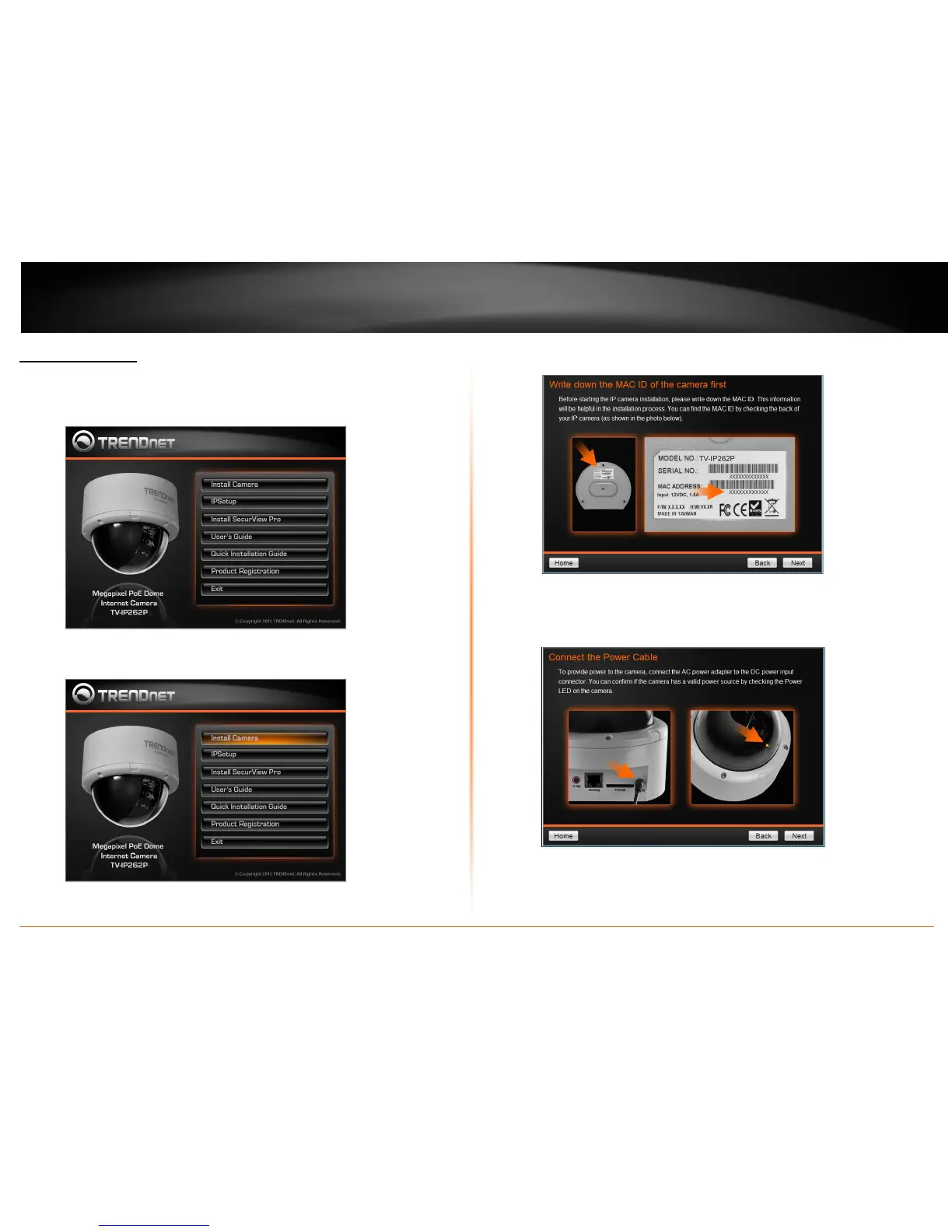
1. Insert the Installation CD-ROM into your computer’s CD-ROM drive to initiate
the Auto-Run program.
2. lick the Install Camera.
3. Write down the MAC ID of the camera
4. Connect one end of the power adapter into the Power Connector, then click on
Next. Please click Next if you are using the PoE injector or switch.


 To Next Page