EasyManua.ls Logo

TRENDnet TV-VS1 - Page 9

TRENDnet TV-VS1
15 pages
Print Icon
To Next Page IconTo Next Page
To Previous Page IconTo Previous Page
Loading...
7
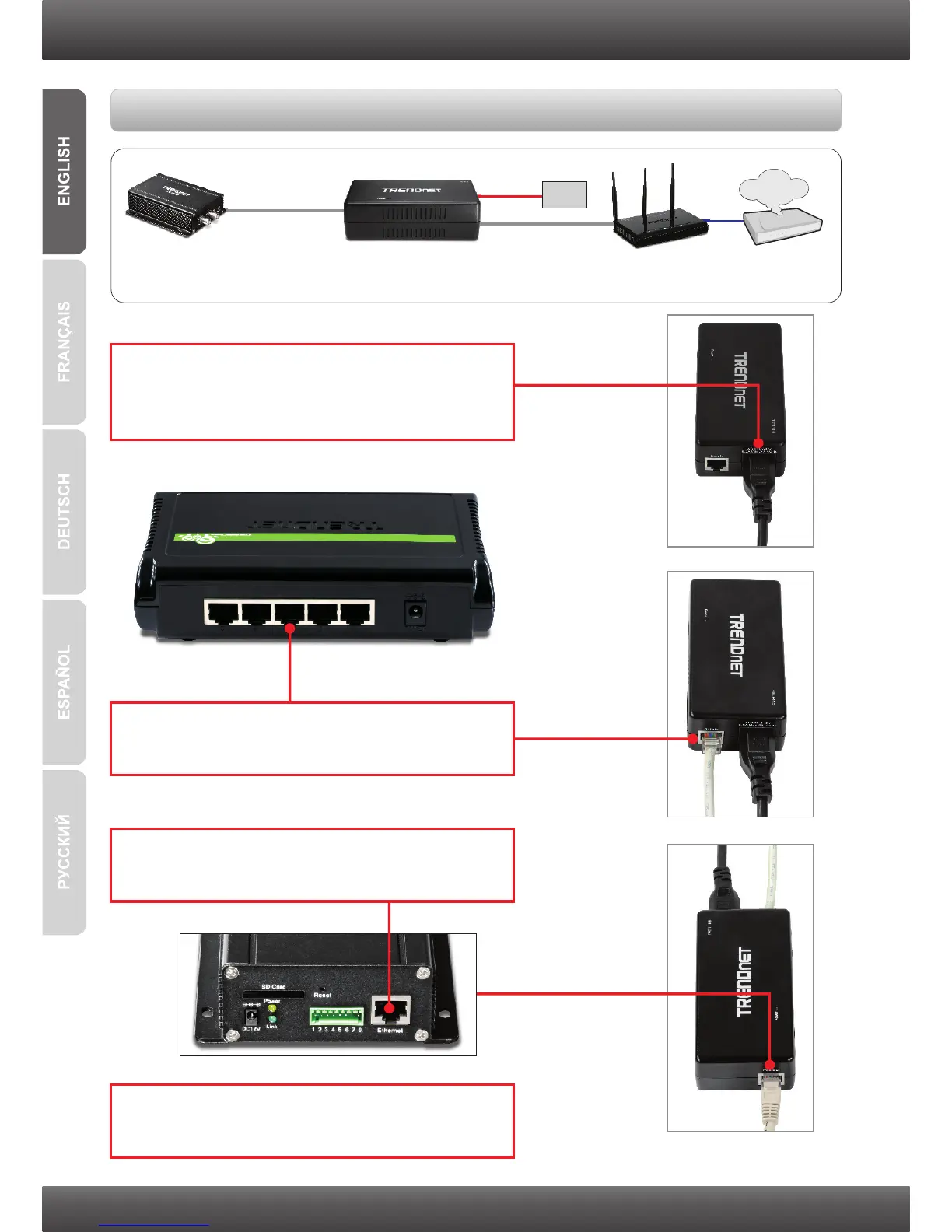
4. Follow the steps in Section 3: Configure the
TV-VS1/TV-VS1P.
Power + Data (PoE)
TV-VS1P TPE-111GI TEW-639GR
Data
Power
Power
Jack
Internet
Cable/DSL
Modem
Using the TV-VS1P with a PoE Injector
2. Connect a network cable from a switch or router
to the TPE-111GI's Data In port.
3. Connect a network cable from the TV-VS1P to
the TPE-111GI's PoE Out port.
1. Connect one end of the Power Cord to the
Injector. Then connect the other end of the
Power Cord to an outlet.

Related product manuals