60Km
2.5us 30s
1310nm 1550nm
Pulse Time Mode
OTDR
Settings
Wavelength
Range
Average
measure
Real-time
measure
Manual
Events
Analyse
Measure
settings
Back to
menu
Save/File
2017-01-01
21:35
100%
m
0 10,000 20,000
30,000
40,000 60.00050,000
0.0000m
0.000dB
0.000dB
A
0.0000m
20
B
50
40
30
10
20
0
File name:
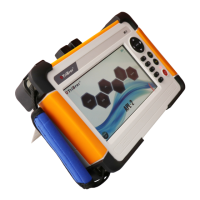
Click on " Measure settings" to enter the measurement interface, which shows the buttons of OTDR
settings, general settings and start measuring. User can select the mode to be manual or auto. Under
manual mode, users can set the range, pulse and time by themself. User can select the wavelength
measured, default are yellow 1310nm and orange 1550nm.
OTDR- Measure settings
ENTER
REAL
F5
F4
F3
F2
F1
SCAN
F5
60Km
80Km
40Km
OTDR settings Start measuringGeneral settings
Measure
settings
wavelength:1550nm range:60km pulse:2.5us
P7


 To Next Page