P8
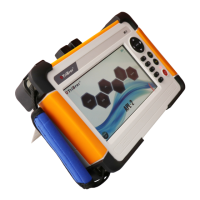
Click on "Average measure" button or press "SCAN" button to enter the average measure interface.
During measuring, click on "Stop measuring" or press " SCAN " or " REAL " button to stop at anytime. The
average measure can measure two wavelengths at the same time.
OTDR-Average measure
time left 16s
IEC 60825-1:2007 21 CFR 1040.10
INVISIBLE LASER RADIATION DO NOT VIEW DIRECTLY
WITH OPTICAL INSTRUMENTS CLASS 1M LASER PRODUCT
800nm~1700nm, PW<20usec, P<600mW
ENTER
REAL
F5
F4
F3
F2
F1
SCAN
F5
Events
Analyse
Measure
settings
Back to
menu
Save/File
File name:
2017-01-01
21:35
100%
Stop
measuring
m
50
40
30
20
10
0
0 10,000 20,000
30,000
40,000 60.000
15.0011km
25.225dB
25.225dB
A
50,000
15.0011km
20
B
wavelength:1550nm range:60km pulse:2.5us


 To Next Page