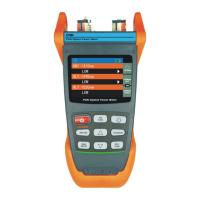
Click on "Start Test" to start the measurement, and after the measurement is completed, it will show
the status of the optical fiber link.
Save
Back to
menu
2017-01-01
21:35
File
Fiber total loss
---.--- ---.---
WaveLength
1310nm
1550nm
Pass
Pass/Not pass1310 nm 1550 nm
EventList
MeasureSet
Dist.(km)
Loss(dB)
Ref.(dB)
1310nm
1550nm
1310nm
1550nm
B
A
Km
44.618
0.000 44.61840.629
0.00000 0.000 -29.526 -25.314
40.62895 -36.3040.367 -36.120
0.000
0.881
44.61769 ---.--- -14.634 -14.738---.---
100%
Start Test
ENTER
REAL
F5
F4
F3
F2
F1
SCAN
F5
P35
iOLA
Optional function


 To Next Page