Note
Units shipped with TED enabled are shipped with TED turned off,
because the unit is quicker to program and test with TED turned
off. After programming use the following to turn TED on.
Operational Enable TED on/off
Enter programming mode.
Operational Enable: (Defaults to 0) (Normal TED operation n=4)
Command to set: 4#n Where "n" is the selection of modes enabled.
Options (0 to 7)
Programming Number
4 # n
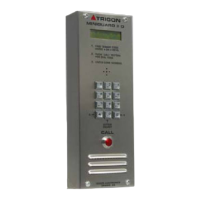
Trigon Electronic Doorman (T.E.D.)
The Trigon Electronic Doorman (patent pending) is a telephone entry unit that allows the resident to determine the
name or business of the visitor without actually talking to the visitor. The door unit, through a sophisticated combina-
tion of microprocessors and voice processors becomes a virtual doorman intermediary between the visitor and the
resident as follows:
–Once the resident code is determined and entered, T.E.D answers with one of three greetings as follows:
–“Hello, I’m TED The Electronic Doorman, please state your name or your business and I will
contact your party for entry approval.”
–The visitor is given 6 seconds to record name or business then T.E.D. responds with:
–“Please stand by while I contact your party for entry approval.”
–T.E.D. then places a call to the resident and announces the following:
–“This is your Electronic Doorman, you have the following visitor.”–The entry unit then plays back
the visitor recording.
–The Resident has the following three choices:
–Pressing a zero “0” (programmable) activates the #1 relay in T.E.D. and grants entry.
–T.E.D. responds with:
–“I have received entry approval, please enter.”
–Pressing a seven “7” (programmable) rejects entry and generates the following response from T.E.D.:
–“I was unable to receive entry approval, please try again later, thank you.”
–Pressing a four “4” (programmable) opens the telephone communication line between Resident and Visitor which
then can result in an entry granted “0” or an entry rejected “7” and the corresponding responses from T.E.D.
Second and third relays can be actuated by the resident to open express shipment closet, or operate multiple
entrees or cameras.
All T.E.D instructions are also displayed on the directory.
Page 3



 To Next Page