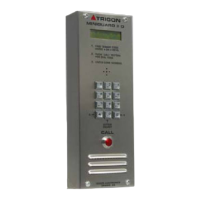
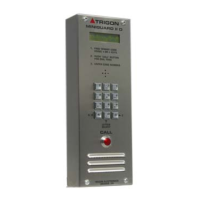
Need help?
Do you have a question about the Trigon Electronics Minipak and is the answer not in the manual?
Diagram showing connections for telephone line, power cabling, relays, card reader, and serial printer.
Guidance on selecting mounting location, considering weather protection and wiring access.
Instructions for connecting power, telephone lines, and ground wires, including cable types and shielding.
Details on relay configurations and input/telephone cable requirements.
Steps to enter programming mode locally via keypad or remotely via phone.
Configuring resident code length, ring count, gate interval, call length, dial mode, and latch feature.
Procedure for entering resident codes and their associated telephone numbers.
Process for removing resident codes and telephone numbers from memory.
Setting 4-digit codes for direct resident access without calling.
Steps to remove previously programmed 4-digit entry codes.
Procedure for programming access cards via the card reader interface.
Method for removing programmed access cards from memory.
Setting a 4-digit code to identify the unit in multi-unit installations.
Setting a code to alert management if the unit is tampered with.
Setting daily on/off schedules for the primary relay using time clock.
Setting daily on/off schedules for the optional secondary relay.
Procedure for erasing all data or resetting the unit to factory defaults.
Instructions for recording and setting a voice message for the unit.
Procedure to disable the auto message feature by setting the Site ID.
How visitors call tenants and how tenants grant or deny entry.
Using direct entry codes, latching relays, and site identification.
Managing the 30-second time-out for remote operation commands.
Running self-tests for touch tone echo, memory, and tone sequences.
Connecting and configuring a serial printer for audit logs.
Diagnosing and resolving issues like no dial tone, programming failures, memory loss, and audio problems.
Troubleshooting problems related to strike/gate activation and visitor audio.
Explanation of codes and abbreviations used in programming parameters.
Summary of commands to configure various system settings.
Steps to initiate programming mode directly on the unit.
Key stroke sequences for phone numbers, entry codes, clock, and relay schedules.
Setting tamper code, site ID, erase mode, and verifying system parameters.
Commands for remote functions and exiting program mode.
Details on design, capacity, system security, dial mode, site ID, and call length.
Specifications for power, relay ratings, activation, duration, telephone line, and mounting.
Information on unit construction, programming methods, and features.
 General
| Brand | Trigon Electronics |
|---|---|
| Model | Minipak |
| Category | Intercom System |
| Language | English |
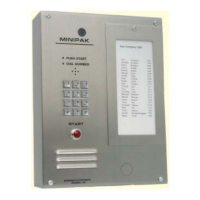

 To Next Page