Page 13
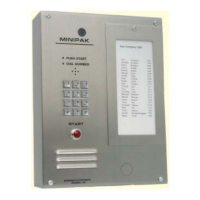
Minipak
NO DIAL TONE
1. Check (check fuse) input power at unit. Should be
12 VAC.
2. Check that unit is properly grounded to a good
Earth ground.
3. Current starved. Increase AC input wire size.
4. Remove power, wait 5 seconds, restore power.
Check for dial tone.
5. Check for phone line. Voltages across terminals
should be 48-52 VDC (on hook), 6-12 VDC(off
hook).
6. Check VOLUME adjustment on PC board.
7. Check handset connections to PCB.
8. Verify that contacts and wires are clean and
tight.
CANNOT PROGRAM
1. Incorrect/lost program code.
2. Not entering “*” before program code.
3. Try ‘NO DIAL TONE’ troubleshooting
procedures.
4. Keypad damaged. Check for vandalism.
5. Check that the Program Prom/Microprocessor is
fully seated.
LOSES MEMORY
1. Electrical noise on power line. Install EMI/RFI
filter.
2. Excessive electrical noise from strike. Use low
current strike.
3. Unit transformer shared with another device (i.e.
door strike).
RESIDENT CANNOT ACTIVATE STRIKE/GATE
1. Tenant not pressing correct number on phone.
2. Strike/gate operator not wired correctly.
3. Missing or incorrect power to strike or gate
operator.
4. Current starved. Increase wire size.
5. Tone may be too brief in duration (cordless
phones, etc.).
AC HUM IN SPEAKER
1. Phone wires running in same conduit as AC
power.
2. Unit not properly grounded.
3. Defective microphone.
RESIDENT CANNOT HEAR VISITOR
1. Defective handset/microphone.
2. Too much background or street noise. Relocate
unit.
Legend:
d Day of the week (1, 2,…7; Monday= 1)
DD Date (01, 02,…31)
eeee Entry Code (always use four digits)
hh Hour (01, 02,…23)
iiii Site ID Code (always use four digits)
mm Minute (01, 02,…59)
MM Month (01, 02,…12)
nnn nnnn Resident Phone Number (up to 12 digits)
pppp Program Code (4 digits)
rrrr Resident Code (may be 1, 2, 3, or 4 digits)
YY Year (01, 02,…99)
✽ The “star” key of the telephone
# The “pound sign” key of the telephone
☎ Tones returned by the unit
Programming at the Unit:
Enter the Program Mode: Acquire dial tone.
Press " *, Program Access Code".
You will hear two beeps.
Set Unit Parameters:
Press "#, 0", then;
{3} Set Resident Code Length (1 - 4 digits)
{3} Set Ring Count (1 - 9, 0= unlimited)
{3} Set Gate Interval (1 - 9 five second intervals,
0=1 second pulse)
{3} Set Call Length (1 - 4 minutes, 0= no time-
out)
{0} Set Dial Mode (1= Rotary, 0= Tone) (+{2}=
active DTMF keypad after dial out)
{0} Set Latch Enable Mode (0= disable, 1= enable
1) (☎☎)
CONDENSED GUIDE TO USE and PROGRAMMINGCONDENSED GUIDE TO USE and PROGRAMMING
CONDENSED GUIDE TO USE and PROGRAMMINGCONDENSED GUIDE TO USE and PROGRAMMING
CONDENSED GUIDE TO USE and PROGRAMMING
TROUBLE SHOOTING GUIDETROUBLE SHOOTING GUIDE
TROUBLE SHOOTING GUIDETROUBLE SHOOTING GUIDE
TROUBLE SHOOTING GUIDE


 To Next Page