EasyManua.ls Logo

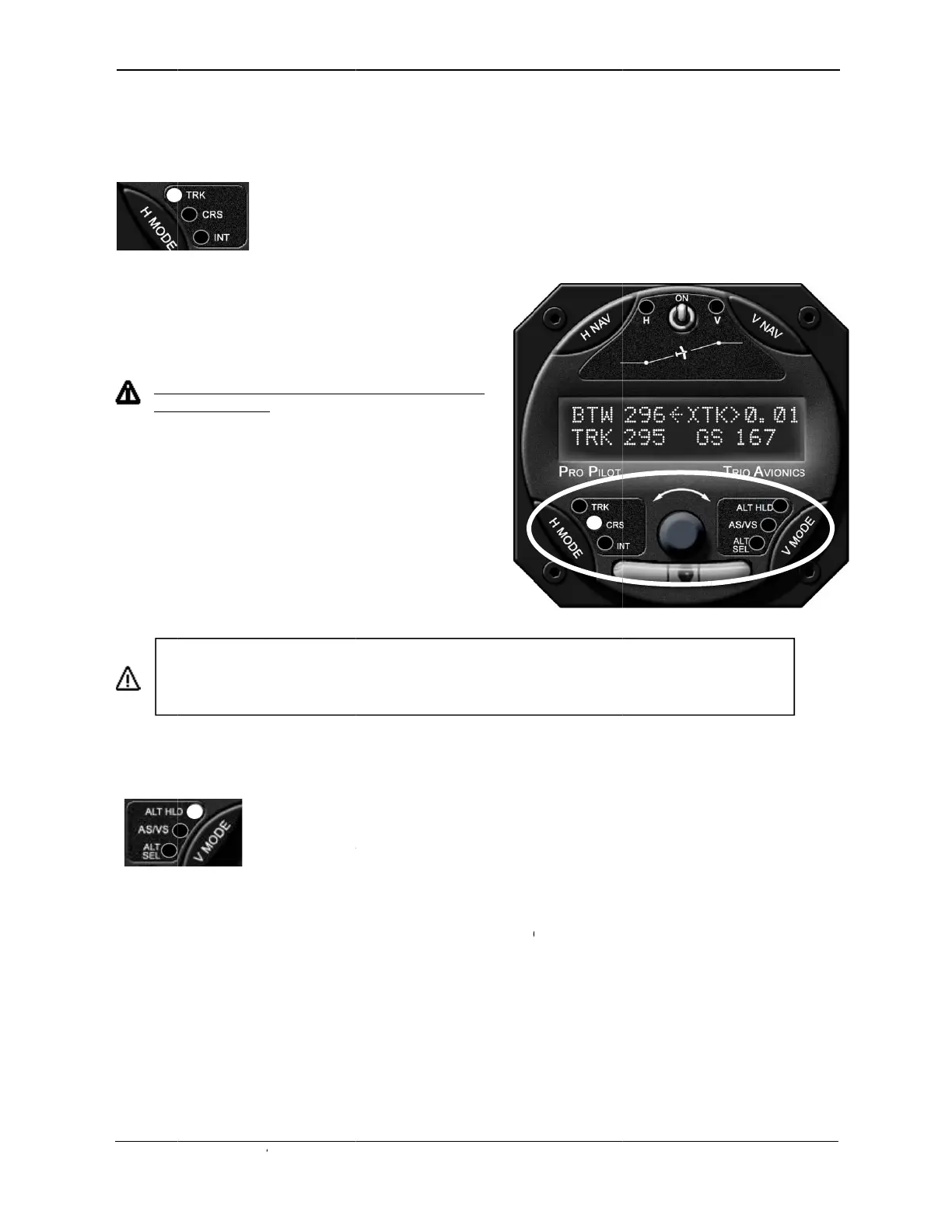
Trio Avionics Pro Pilot - H MODE and V MODE Buttons

Trio Avionics Pro Pilot
83 pages
Print Icon
To Next Page IconTo Next Page
To Previous Page IconTo Previous Page
Loading...
Trio Pro
P
H MO
D
The H M
O
With GP
S
The app
r
No
dat
a
A
t any ti
m
transitio
n
mode, b
y
The
V
M
O
speed),
a
The app
r
HLD LE
D
rate is s
e
adjustm
e
T
d
o
2
7
P
ilot Manual
4
D
E and V
M
O
DE switch
c
S
data prese
n
P
T
r
opriate LED
i
H MODE LE
D
a
is available
m
e while in t
h
n
to the TRK
m
y
pressing th
e
O
DE switch
c
a
nd ALT SE
L
P
A
r
opriate LED
i
D
is illuminat
e
e
t to zero. Th
e
nt is in progr
e
h
e H NAV b
u
o
es an auto
m
7
for operati
o
4
.1
M
ODE bu
t
c
ontrols the s
e
n
t, the defaul
t
P
ressing the
H
T
RK ---> CR
S
i
lluminates in
D
s will illumi
n
.
e INT mode,
m
ode, or thro
e
H MODE s
w
c
ontrols the s
e
L
(target altitu
d
ressing the
V
A
LT HLD --->
A
i
lluminates to
e
d when the
a
e ALT HOL
D
e
ss.
u
tton also pro
v
m
atic roll serv
o
o
n instruction
s
t
tons
e
lection of th
e
t
mode durin
g
H
MODE swi
t
S
---> INT an
d
each mode.
ate until vali
d
the pilot ma
y
ugh TRK to
C
w
itch.
e
lection of th
e
d
e set) mode
V
MODE swit
c
A
S/VS --->
A
signify data
h
a
ltitude hold
m
D
mode LED
w
v
ides the “
AU
o
engageme
n
s
for this feat
u
e
TRK (track
)
g
power up is
t
ch repeatedl
y
d
then back t
o
d
GPS
y
C
RS
e
ALT HLD (
a
s.
c
h repeatedly
A
LT SEL
B
h
as been ch
a
m
ode is activ
e
w
ill flash to in
d
U
TOMATIC C
n
t and groun
d
u
re.
)
, CRS (cour
s
TRK.
y
advances t
h
o
TRK.
a
ltitude hold)
,
advances th
e
B
ARO SET.
a
nged or ent
e
e
, or the VS
m
dicate that a
n
C
OURSE RE
V
d
track revers
a
s
e) and INT (i
h
e display sc
r
,
AS/VS (airs
p
e
display scr
e
e
red on that s
m
ode is activ
e
n
executed fi
n
V
ERSAL” fea
t
a
l. Please s
e
ntercept) mo
d
reen from:
p
eed/vertical
e
en from:
creen. The
A
e
and the ver
t
n
e altitude
t
ure which
e
e page
14
d
es.
A
LT
t
ical

Table of Contents

Other manuals for Trio Avionics Pro Pilot