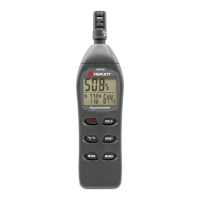
Unit of Measure
Press the UNITS button to change the unit of measure from Lux to Fc or
from Fc to Lux
Range Selection
Press the RANGE button to select the measurement range. There are
four (range) selections for each unit of measure. The range icons will
appear to identify the range selected.
Taking a Measurement
1. Remove the sensor’s protective cap to expose the white sensor dome
2. Place the sensor in a horizontal position under the source of light to be
measured
3. Read the light level on the LCD display (numerically or with the
bargraph).
4. The meter will display ‘OL’ when the measurement is outside of the
meter’s specified range or if the meter is set to the wrong range.
Change the range by pressing the RANGE button to find the best
range for the application.
5. Replace the protective sensor cap when the meter is not in use.
Data Hold
To freeze the LCD display, momentarily press the HOLD button. 'MANU
HOLD' will appear on the LCD. Momentarily press the HOLD button
again to return to normal operation.
Peak Hold
The Peak Hold function allows the meter to capture short duration
light flashes. The meter can capture peaks down to 10mS in
duration.
1 Press the PEAK button to activate the Peak Hold feature. “Manu”
and “Pmax’’ will appear on the display. Press the PEAK button
again and “Manu” and “Pmin” will appear. Use ‘Pmax’ to capture
positive peaks. Use ‘Pmin’ to capture negative peaks.
2 When the peak has been captured, the value and associated time
will remain in the display until a higher peak is recorded. The



 To Next Page