Need help?
Do you have a question about the Triplett LT68 and is the answer not in the manual?
Details the physical components of the light meter, including ports, display, buttons, and sensor.
Covers turning the meter on/off and the automatic power-off feature, including battery replacement.
Explains the meaning of various icons and segments shown on the meter's LCD display.
How to change measurement units (Lux/Fc) and select appropriate measurement ranges.
Step-by-step guide on how to perform a light measurement using the meter.
Functions to freeze readings (Data Hold) and capture peak/valley values (Peak Hold).
How to store and recall the highest and lowest readings taken by the meter.
How to set a reference value to display readings relative to a baseline.
Instructions on activating, deactivating, and conserving battery life with the LCD backlight.
How to enter, navigate, and exit the setup mode for clock and sample rate configuration.
How to manually store, view, and clear up to 99 readings on the meter.
How to automatically record up to 16,000 readings and manage the datalogger memory.
Details on connecting the meter to a PC via USB and the capabilities of the included software.
Procedures for battery replacement, proper disposal, and safety reminders.
Guidelines for storing the light meter to ensure its longevity and prevent damage.
Table detailing measurement ranges, resolutions, and accuracy for Lux and Foot Candles.
Overview of display, ranging, spectral response, accuracy, and repeatability of the meter.
Physical dimensions, weight, power supply, battery life, and sensor type of the meter.
Details the warranty period, terms, and conditions for the Triplett LT68 Light Meter.
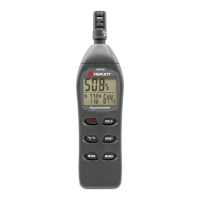
The Triplett LT68 is a digital light meter designed for measuring illuminance in both Lux and Foot candles (Fc). This device also functions as a datalogger, capable of storing a significant number of readings for later analysis. It comes equipped with a PC interface and Windows-compatible software, allowing users to download and manage their collected data. The meter is shipped fully tested and calibrated, ensuring reliable performance with proper use.
The primary function of the LT68 is to accurately measure light levels. It offers two units of measure: Lux and Foot candles, which can be easily switched between using the dedicated UNITS button. The meter features multiple measurement ranges for each unit, selectable via the RANGE button, allowing for precise readings across various lighting conditions. The device displays readings numerically on its LCD, complemented by a bargraph display for a visual representation of the light level.
Beyond basic measurement, the LT68 incorporates several advanced features to enhance its utility. The Data Hold function allows users to freeze the current reading on the LCD, which is indicated by 'MANU HOLD'. This is useful for recording stable readings. For capturing transient light events, the Peak Hold function is available. This feature can detect short-duration light flashes, down to 10mS, and display either the maximum (Pmax) or minimum (Pmin) peak value. The meter will retain the captured peak value and its associated time until a higher peak is recorded.
The LT68 also includes a Maximum (MAX) and Minimum (MIN) Reading Memory function. This allows the meter to store the highest and lowest readings encountered during a measurement session. When activated, 'Manu' and 'MAX' or 'MIN' will appear on the display, and the meter will only show the respective extreme value. Similar to Peak Hold, the meter will retain these values until a new extreme is detected.
A unique feature is the Relative Mode, which enables the user to store a reference value. All subsequent readings will then be displayed relative to this stored reference, providing an offset measurement. This is particularly useful for comparing light levels against a baseline.
As a datalogger, the LT68 can store up to 16,000 readings in its internal memory for automatic recording. For manual storage, it can save up to 99 readings directly on the meter's LCD, which can be viewed by scrolling through the memory addresses. The stored data, whether manually or automatically recorded, can be transferred to a PC using the supplied software for more in-depth analysis, plotting, storage, and printing.
The meter's internal clock and sample rate can be configured through a dedicated Setup mode. Users can adjust the hour, minute, second, month, day, day of the week, and year, as well as set the sample rate for automatic data logging.
Operating the LT68 is straightforward. To power the meter ON or OFF, simply press the Power button. The device includes an Auto Power Off (APO) feature that conserves battery life by automatically turning off the meter after 20 minutes of inactivity. This feature can be disabled or re-activated by simultaneously pressing the RANGE/APO and REC/SETUP buttons.
Before taking a measurement, the protective cap should be removed from the light sensor dome, and the sensor placed horizontally under the light source. The LCD will then display the light level. If the measurement falls outside the selected range, 'OL' will be displayed, prompting the user to adjust the range using the RANGE button.
The LCD features a backlight for improved visibility in low-light conditions. This can be activated by pressing the backlight button and will automatically turn off after a short period to save battery energy. Users are advised to use the backlight sparingly due to its impact on battery life.
For data logging, the meter offers both manual and automatic recording. To manually store a reading, press the REC button momentarily. The MEM icon and memory address number will appear. To view stored readings, press and hold the LOAD button and use the arrow buttons to scroll. To clear manually stored data, simultaneously press and hold the REC/SETUP and LOAD buttons until 'CL' appears.
For automatic datalogging, the time and sample rate must first be set in SETUP mode. To begin recording, press and hold the REC button until the MEM icon blinks. Data will be stored at the set sample rate. To stop recording, press and hold the REC button until the MEM icon disappears. If the memory becomes full, 'OL' will appear as the memory number. To clear the automatic datalogger memory, with the meter off, press and hold the REC button, then press the power button. 'dEL' will appear, and releasing the REC button when 'MEM' appears confirms the memory has been cleared.
The meter connects to a PC via a Micro USB port. The supplied USB cable has a smaller connector for the meter's interface port and a larger connector for the PC's USB port. The software allows for comprehensive data management, including transferring stored readings, viewing and plotting data, remote control of the meter, and real-time recording of readings.
Maintenance of the Triplett LT68 is minimal. The meter and its sensor can be cleaned with a damp cloth. It is important to avoid using solvents, abrasives, or harsh chemicals, as these could damage the device.
Battery installation and replacement are straightforward. The battery compartment is located on the back of the meter and can be accessed by sliding off the cover. A 9V battery is required. Users are reminded to never dispose of used batteries in household waste but to take them to appropriate collection sites. Additionally, batteries should never be disposed of in fire, and different battery types should not be mixed; always install new batteries of the same type.
For long-term storage, it is recommended to remove the battery and affix the sensor's protective cover. The meter should be stored away from areas of extreme temperature and humidity to ensure its longevity and continued reliable operation.
 General
| Category | Measuring Instruments |
|---|---|
| Model | LT68 |
| Display | LCD |
| Power Supply | 9V Battery |
| Sensor | Silicon photodiode |
| Operating Temperature | 0°C to 40°C |
| Operating Humidity | ≤ 80% RH |
| Type | Light Meter |


 To Next Page