OPTIONAL LOCAL
MONITOR
B126-004 LOCAL
TRANSMITTER
B126-110 REMOTE/
REPEATER
B126-110 REMOTE/
REPEATER
B126-110 REMOTE/
REPEATER
Up to 175 ft. at 1080i (60Hz)
Up to 125 ft. at 1080p (60Hz)
Up to 175 ft. at 1080i (60Hz)
Up to 125 ft. at 1080p (60Hz)
BLU-RAY
B126-110 REMOTE/
REPEATER
B126-110 REMOTE/
REPEATER
B126-110 REMOTE/
REPEATER
B126-110 REMOTE/
REPEATER
B126-110 REMOTE/
REPEATER
B126-110 REMOTE/
REPEATER
B126-2A0
REMOTE RECEIVER
B126-2A0
REMOTE RECEIVER
B126-2A0
REMOTE RECEIVER
B126-2A0
REMOTE RECEIVER
B126-110 REMOTE/
REPEATER
B126-110 REMOTE/
REPEATER
B126-110 REMOTE/
REPEATER
HDMI OVER Cat5
1 x 2 EXTENDER
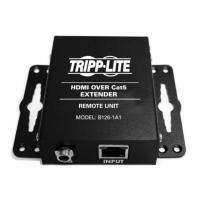
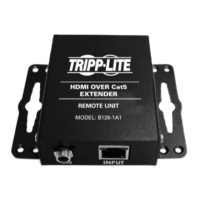
REMOTE UNIT
MODEL: B126-2A0
HDMI OVER Cat5
1 x 2 EXTENDER
REMOTE UNIT
MODEL: B126-2A0
HDMI OVER Cat5
1 x 2 EXTENDER
REMOTE UNIT
MODEL: B126-2A0
HDMI OVER Cat5
1 x 2 EXTENDER
REMOTE UNIT
MODEL: B126-2A0
14
1
MakesurealldevicesbeingconnectedarepoweredOFF.
2
Connect the HDMI source to the INPUT port on a B126-002 or
B126-004transmitterunitusingaTrippLiteP568-SeriesHigh-Speed
HDMICable.
3
Optional for B126-004: Connect a monitor to the LOCAL port on
thetransmitterunitusingaTrippLiteP568-SeriesHigh-SpeedHDMI
Cable.
4
Connecttheexternalpowersupplytothetransmitterunitandplugthe
transmitterunitintoaTrippLiteSurgeSuppressor,PowerDistribution
Unit(PDU),orUninterruptiblePowerSupply(UPS).ThegreenRJ45
LEDs on the B126-002 and B126-004, and the red LED on the
B126-004willilluminatetoindicatethattheunitisreceivingpower
fromtheexternalpowersupply.
Extender/Splitter with
Remote/Repeater Installation
13-08-043 93-32D0.indd 14 8/28/2013 2:17:41 PM



 To Next Page
 Loading...