13
Extender/Splitter with
Remote/Repeater Installation
Notes:
1. Test to make sure that the entire installation works properly before
running cables through ceilings/walls.
2. The diagram below shows the maximum extension distance when using
either Cat5e or Cat6 cabling. 24 AWG, solid wire Cat5e/6 cable, such
as Tripp Lite’s N202-Series, is required to achieve maximum distance
and resolution.
3. The B126-002 and B126-004 are set to transmit a stereo audio
signal by default. Press the Audio button on the transmitter unit to
switch to 7.1-channel surround sound audio. (7.1-channel surround
sound signal will be Multi-Channel or PCM)
4. The diagram below shows the B126-004 transmitter unit. Installation
is the same for the B126-002, except that there are only two output
ports and no local monitor port.
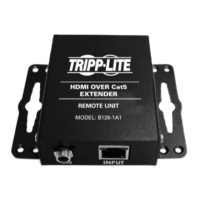
5. Although the installation instructions below mention the B126-2A0
1x2 receiver unit only, Tripp Lite offers two additional active receivers
that can be used in the event that only one monitor is needed at the
end of a repeater chain: B126-1A0 and B126-1A0-WP-1.
13-08-043 93-32D0.indd 13 8/28/2013 2:17:40 PM



 To Next Page
 Loading...