15
5
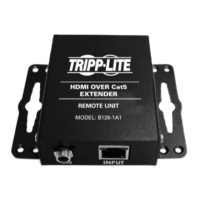
UsingCat5e/6cable,connectaRJ45OUTPUT port on the transmitter
unittotheRJ45INPUTportontheB126-110repeaterunit.
6
Connect a monitor to the HDMI OUTPUT port on the repeater unit
usingaTrippLiteP568-SeriesHigh-SpeedHDMICable.
7
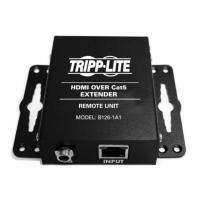
Connecttheexternalpowersupplytotheremote/repeaterunitand
plug the remote/repeater unit into a Tripp Lite Surge Suppressor,
PowerDistributionUnit(PDU),orUninterruptiblePowerSupply(UPS).
ThegreenpowerandRJ45LEDswillilluminatetoindicatethatthe
unitisreceivingpowerfromtheexternalpowersupply.
Upto4unitscanbedaisy-chained(3repeatersand1activereceiver).To
addadditionalrepeaterunits,proceedtostep8.Tonishyourinstallation
withaB126-2A01x2receiverunit,proceedtostep11.
8
UsingCat5e/6cable,connecttheRJ45portontherepeaterunitmarked
OUTPUTtotheRJ45portonasecondrepeaterunitmarkedINPUT.
9
Connect a monitor to the HDMI OUTPUT port on the repeater unit
usingaTrippLiteP568-SeriesHigh-SpeedHDMICable.
10
Connecttheexternalpowersupplytotheremote/repeaterunitand
plug the remote/repeater unit into a Tripp Lite Surge Suppressor,
PowerDistributionUnit(PDU),orUninterruptiblePowerSupply(UPS).
ThegreenpowerandgreenRJ45LEDswillilluminatetoindicatethat
theunitisreceivingpowerfromtheexternalpowersupply.
Toaddathirdremote/repeaterunit,repeatsteps8through10.Tonish
yourinstallationwithaB126-2A01x2receiverunit,proceedtostep11.
Extender/Splitter with
Remote/Repeater Installation
13-08-043 93-32D0.indd 15 8/28/2013 2:17:41 PM



 To Next Page
 Loading...