19
5. Touch Operation
5.4 External Source Selection
1
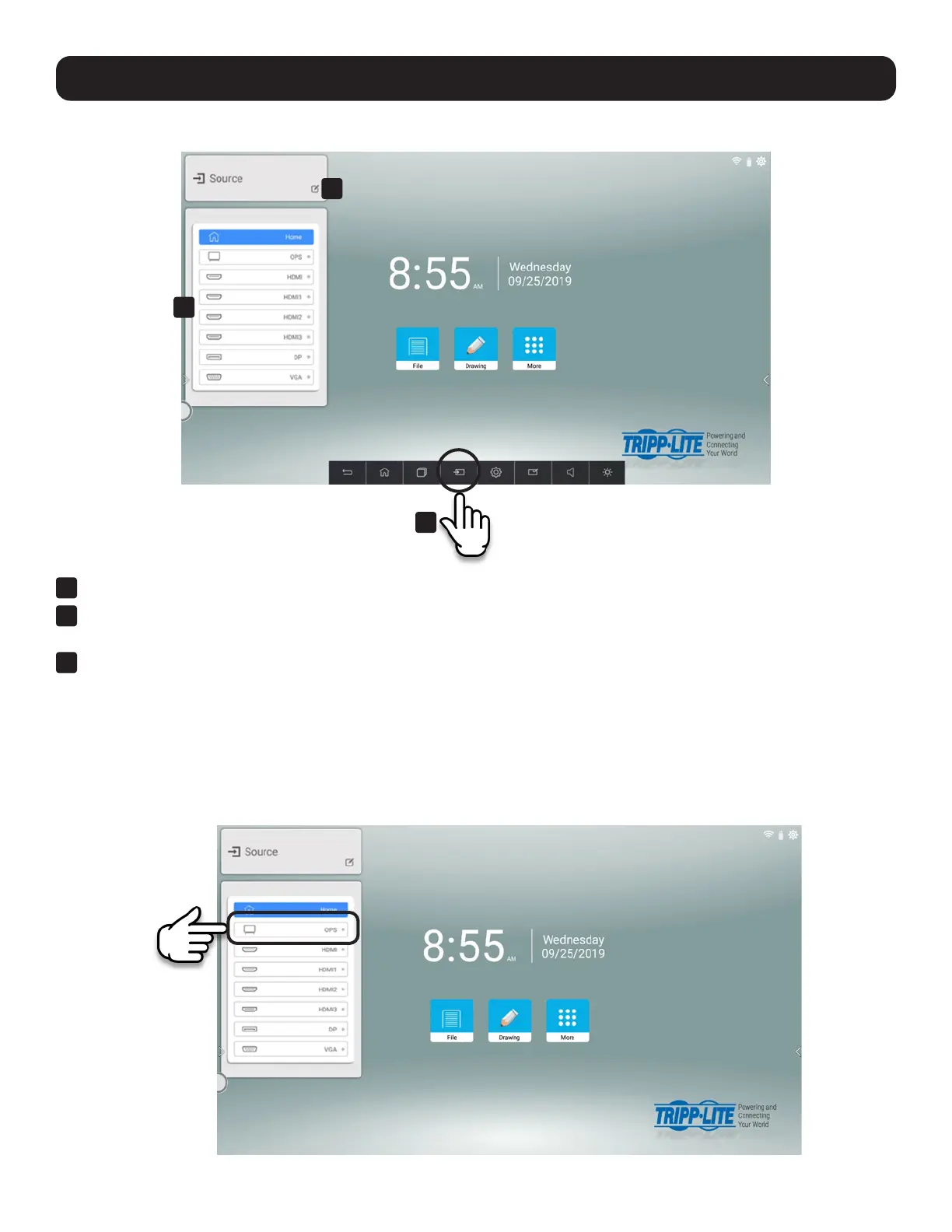
Touch the Source button on the navigation bar to activate the external source selection menu.
2
Input connections with an active external source device connected are indicated by a green dot. Select an external
source by touching the corresponding row in the menu.
3
Touch the pencil icon to change the external source labels.
5.4.1 Built-in OPS (Open Pluggable Specification) PC
Touch the OPS row in the Source menu to start up the built-in Windows PC. (You can also start the PC from the OPS button
on the remote control.)
The PC functions like any other touch-enabled Windows 10 PC. The important thing to remember is that the PC has its own
applications, settings and ports that are distinct from the embedded Android environment shown when the display first starts
up. For example, the PC and the Android environment have separate network settings and separate web browsers.
1
3
2



 To Next Page