20
5. Touch Operation
5.5 Settings (Android)
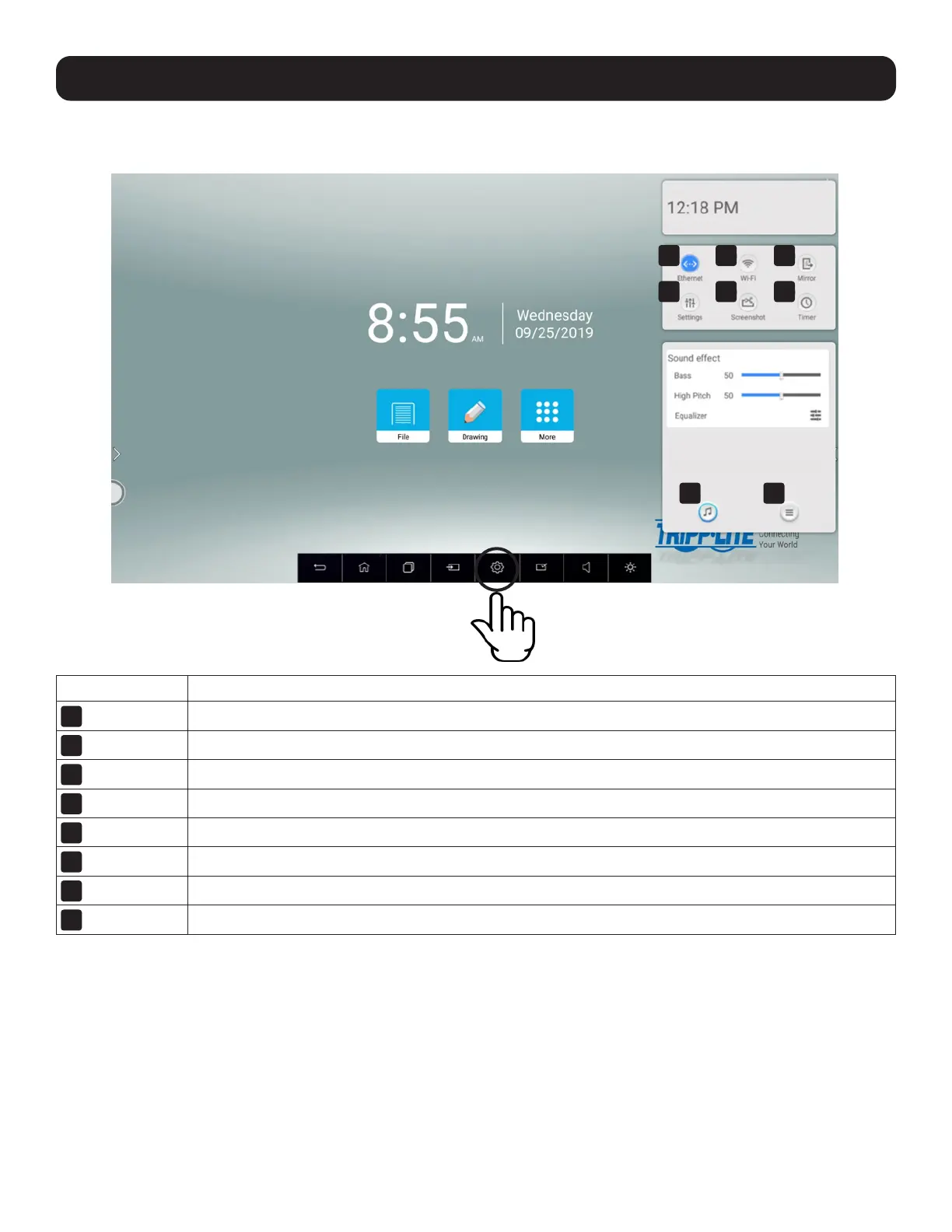
Swipe up from the bottom of the screen to access the pop-up settings interface from the Navigation Bar.
Button Description
1
Ethernet
Local area network settings.
2
Wi-Fi
Wireless network settings.
3
Mirror
Screen mirroring with EShare.
4
Settings
Access the settings menu – see Section 5.5.1 for more information.
5
Screenshot
Save a screenshot of the current screen.
6
Timer
Set a countdown timer.
7
Sound
Set audio and equalizer levels.
8
More
Set no signal standby delay, source identification and eye protection on/off.
(Eye protection reduces screen brightness during touch operations to help prevent eyestrain.)
1
4
7 8
2
5
3
6



 To Next Page