4
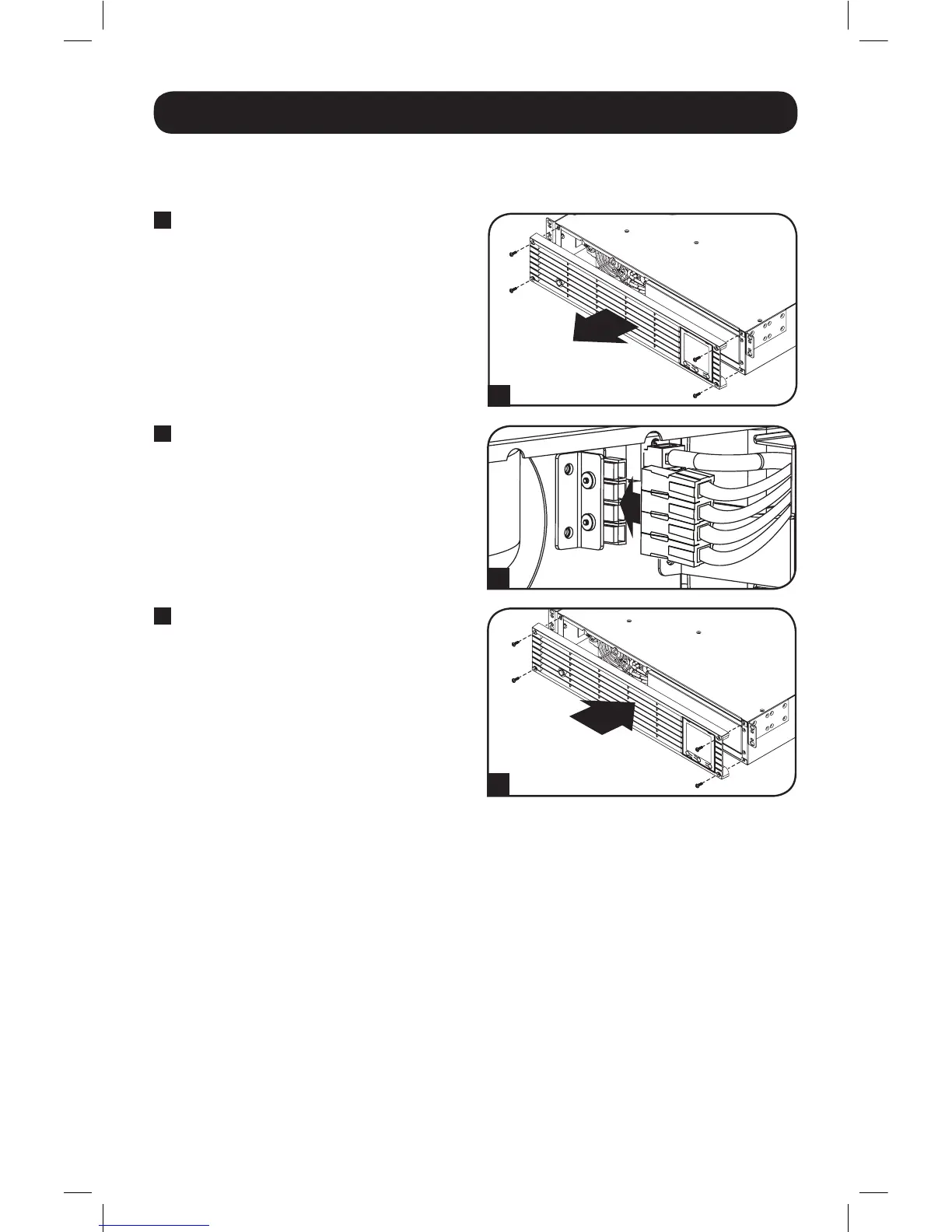
Connecting the Battery
1
4 x screws
1
Remove Front Panel.
The UPS is shipped with the battery disconnected. The battery must be connected for the UPS to
operate; this should be done prior to connecting the UPS to AC mains or connecting any
equipment to the UPS. Follow the installation procedure below:
2
2
Connect Batteries.
Attach both sets of connectors as shown:
black-to-black and red-to-red.
Always ensure that the battery
terminals are properly secured.
3
4 x screws
3
Replace Front Panel.
16-12-138-933440.indb 4 12/20/2016 2:18:04 PM



 To Next Page