9
Enclosure Configuration
Adding or Removing Roof Panel
WARNING: Do not attempt to use the roof panel for weight-bearing purposes other than those explicitly described and approved by Tripp Lite.
Do not attempt to add or remove the roof panel without assistance.
Adding or Removing Side Panels
Removing Side Panel
1
Open the latch by sliding it downward.
2
Tilt the top of the panel away from the enclosure.
1
2
1
2
3
A
B
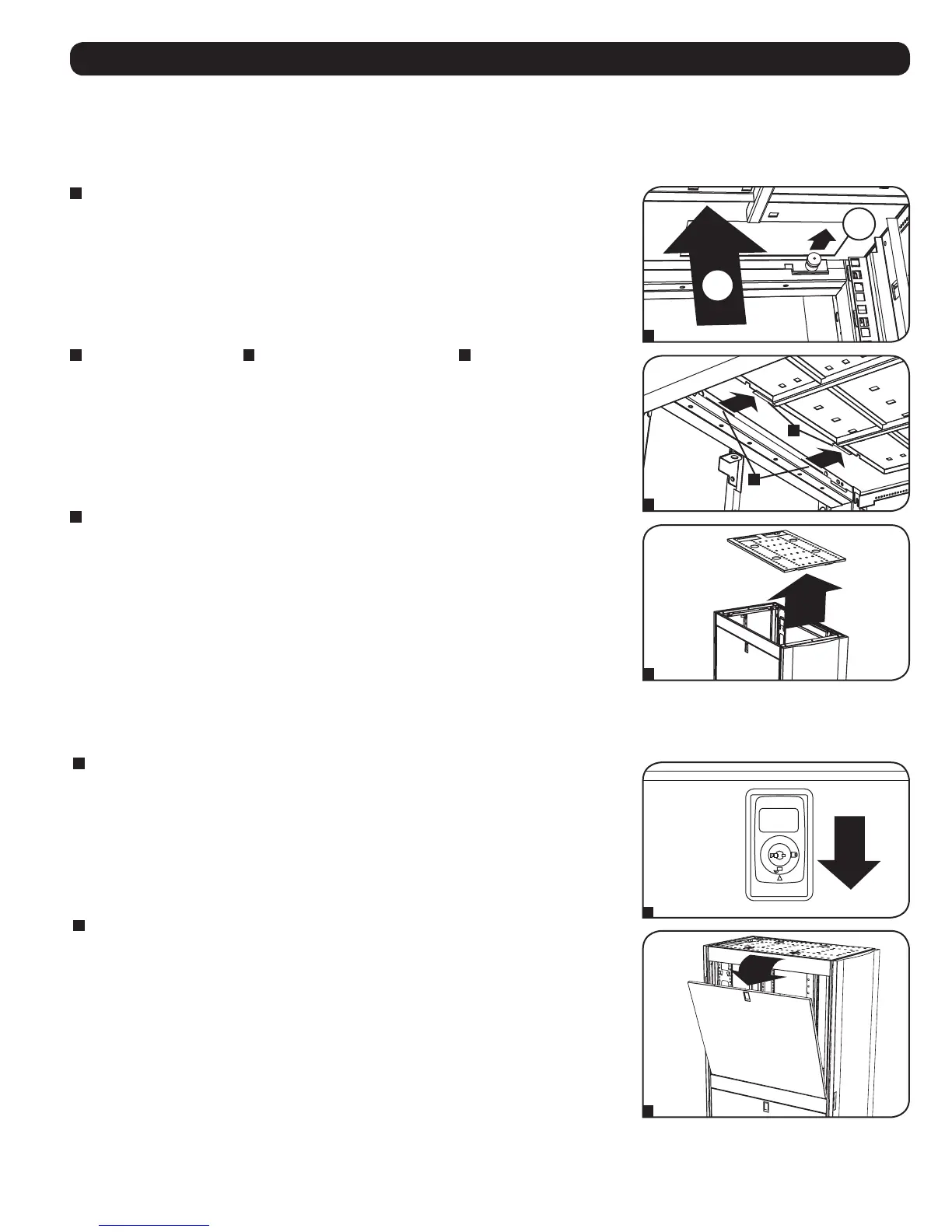
Removing Roof Panel
1
Pull the 2 pins near the rear of the roof panel. While holding the pins, push the roof panel upward.
2
Remove the roof panel tabs
A
from the roof panel attachment slots
B
in the enclosure frame.
3
Lift the roof panel from the enclosure.
To Reinstall Roof Panel, Reverse Steps 1-3



 To Next Page