27
TRISAN S8
INSTALLATION OF DRIVER SOFTWARE ON PC TO ENABLE COMMUNICATION TO TRISAN
S8
The software described herein is only suitable for use on the Windows OS (Versions 7, 8 and 10)
Trisan PAT testers require driver software to facilitate USB connection to personal computers for the purpose of
downloading and saving test results using a suitable application.
The proprietary driver software is supplied by FTDI. (Future Technology Devices Inc.)
Before using our testers, these drivers must be installed on your computer.
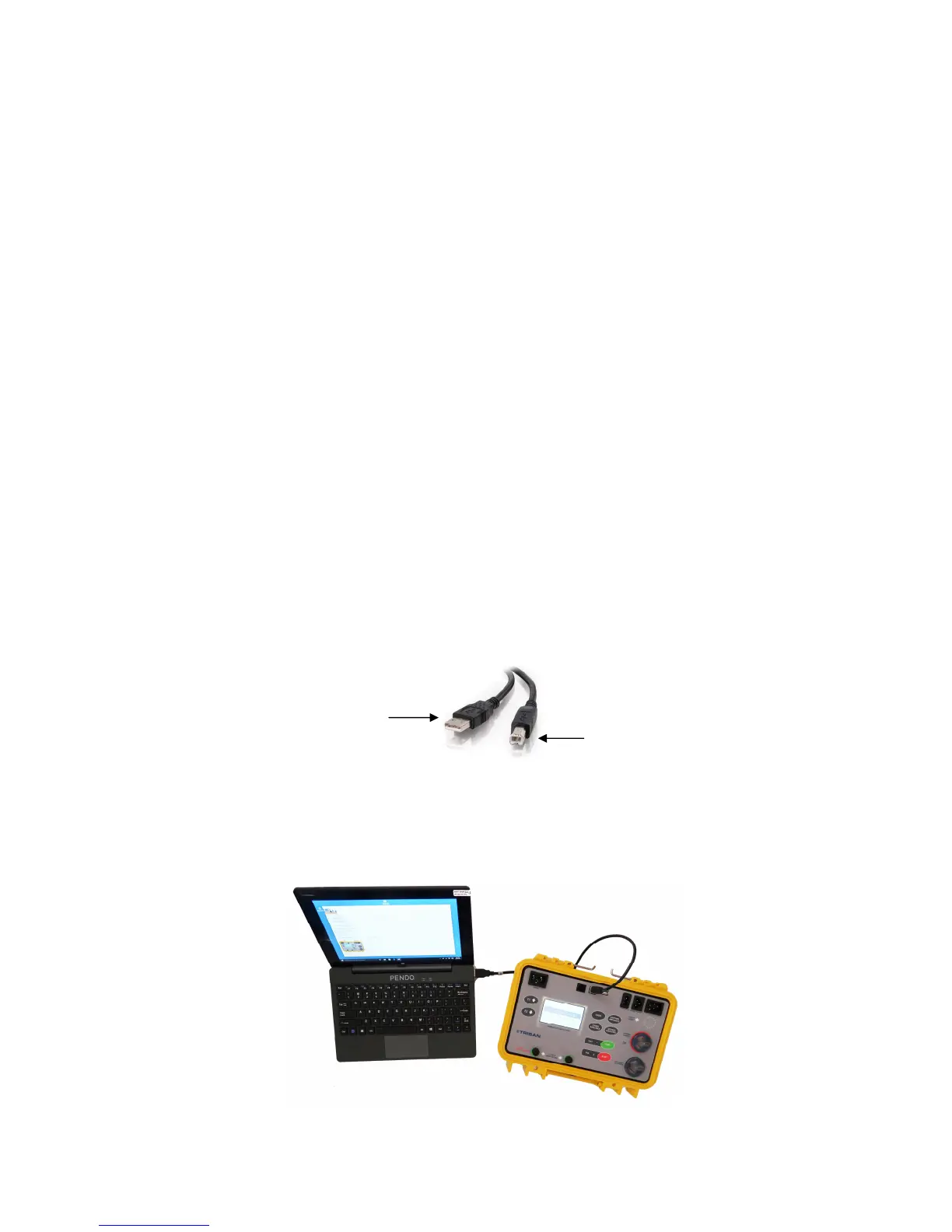
Connect the tester to the computer using the supplied USB cable.
Windows should install the drivers automatically. This will require internet access and may take several minutes.
A computer restart may be necessary after the installation.
Windows dialog boxes should indicate installation progress.
To check for the presence of drivers, disconnect the tester from the computer and then re-connect.
(refer to diagram below for cable details)
On the computer, navigate to “Printers and Drivers” and look for an icon named “FT232”.
Important: The installation of these drivers will most likely require Administrator privileges on the PC.
Refer to your IT support person if required.
In case of driver installation failure, please refer your IT professional to the
FTDI website:- www.FTDIChip.com/Drivers/VCP.htm
USB Type B connector
to tester
USB Type A connector
to computer


 To Next Page