EasyManua.ls Logo

Triton TSPST450 - User Manual

Triton TSPST450
12 pages
Print Icon
To Next Page IconTo Next Page
Loading...
Version date: 11.12.18
tritontools.com
TSPST450
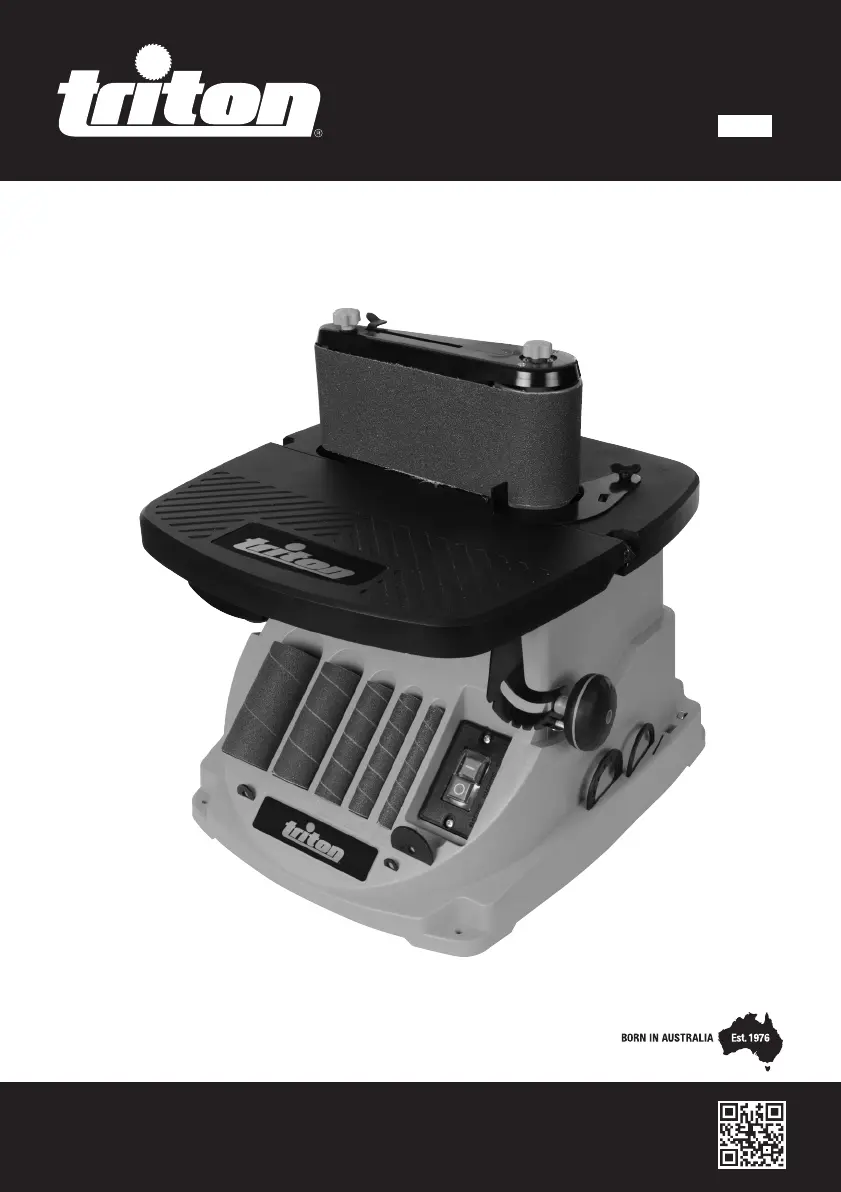
450W Oscillating Spindle
& Belt Sander
189888_Manual.indd 1 11/12/2018 13:35

Other manuals for Triton TSPST450

Questions and Answers

  • A
    Alexis NortonJul 27, 2025
    How to fix a Sanding Sleeve that won't rotate on my Triton Sander?
    • S
      Spencer RobertsJul 27, 2025
      If the Sanding Sleeve on your Triton Sander isn't rotating with the Sleeve Drum, it's likely that the Spindle Nut isn't tight enough. Try tightening the Spindle Nut in small increments until the Sleeve Drum secures the Sanding Sleeve.
  • L
    Lucas HallAug 7, 2025
    What to do if my Triton TSPST450 Sander doesn't turn on?
    • J
      Jennifer ChanAug 7, 2025
      If your Triton Sander isn't working when you use the ON/OFF switch, there could be a couple of reasons. First, check that the power supply is working. If the power is fine, the ON/OFF switch might be defective. In that case, it should be replaced at an authorised Triton service centre.
  • W
    williamcarsonAug 16, 2025
    Why is my Triton Sander producing so much dust?
    • D
      David BrownAug 16, 2025
      If your Triton sander is producing excessive dust, several factors could be at play. First, the dust extractor passage might be blocked; in this case, turn off the machine at the mains and remove the spindle sander components or belt sander unit to clear the blockage. Second, the wrong throat plate might be in use, so try changing to the correct-sized throat plate. Third, the motor could be overheating; if this is the case, switch off the sander and let it cool down for half an hour. Finally, the motor might be faulty.

Summary

Introduction

Description of Symbols

Describes symbols used on the tool.

Technical Abbreviations Key

General Safety Warnings

Power Tool Operation Safety

Covers work area, electrical, personal, use/care, and service safety guidelines.

Sander Specific Safety

Covers specific safety precautions for the oscillating spindle & belt sander.

Product Familiarisation

Intended Use

Preparation and Operation Modes

Bench Mounting and Dust Extraction Setup

Details securing the tool and connecting dust extraction.

Belt Sander Mode and Tracking Adjustment

Explains fitting the belt and adjusting its tracking.

Spindle Sander Mode and Sleeve Fitting

Covers installing sleeves, selecting grades, and fitting.

Accessories and Consumables

Maintenance

Power Cord Maintenance

Instructions for maintaining the power cord.

Cleaning Procedures

Guidance on cleaning the tool.

Brush Replacement

Steps for replacing worn motor brushes.

Contact Information

Storage

Disposal

Troubleshooting

Warranty and Guarantee

Purchase Record

Triton TSPST450 Specifications

General IconGeneral
Power450W
Dust extractionYes
Cable length3m
Sanding pad size115 x 230mm
Pad Size115 x 230mm

Related product manuals