EasyManua.ls Logo

Triton T GEOS - User Manual

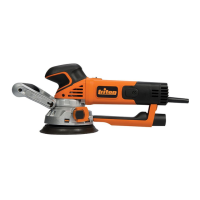
Triton T GEOS
12 pages
Print Icon
To Next Page IconTo Next Page
Loading...
532839_Z1MANPRO1_AUS.indd 2 24/02/2015 16:03

Questions and Answers

  • Q
    quinnchristopherJul 27, 2025
    Why is my Triton T GEOS emitting excessive dust?
    • P
      psinghJul 27, 2025
      If your Triton Sander is emitting excessive dust, first, check the vacuum hose connection and ensure the dust extraction system is switched on. If the dust extraction isn't working, realign the sanding disc and unblock any dust extraction holes.
  • R
    Ronald HallJul 31, 2025
    What to do if Triton T GEOS leaves scratches?
    • K
      kbookerAug 1, 2025
      If your Triton Sander leaves scratches on the workpiece after sanding, it might be due to a sanding disc that's too coarse. Try fitting a new sanding disc with a finer grit. If not enough material was removed, continue sanding.
  • C
    Christopher ScottAug 4, 2025
    How to prevent burn marks with Triton T GEOS Sander?
    • K
      kevin20Aug 4, 2025
      If your Triton Sander is producing burn marks on the workpiece, it could be due to several reasons. First, ensure you're using a sanding disc compatible with the material. If the tool speed is set too high, decrease it. Also, avoid applying too much pressure while moving the machine. Finally, check that the correct sanding mode is selected.
  • J
    Jamie HigginsAug 8, 2025
    Why is Triton Sander slow at material removal?
    • A
      Amanda AndersonAug 8, 2025
      If your Triton Sander isn't removing material quickly enough, there are a few things to check. Make sure you're using a sanding disc with a coarser grit, and replace it if it's worn. Also, increase the tool speed. Finally, ensure you have selected the correct sanding mode.
  • L
    Laura CollinsAug 13, 2025
    What to do if Triton T GEOS Sander motor has cut-outs?
    • A
      andrewbeltranAug 13, 2025
      If your Triton Sander motor suffers from cut-outs, loss of performance, and produces sparks or burning smells, the carbon brushes may be worn. Replace the carbon brushes or have them replaced by an authorized Triton service center.
  • J
    Jerry TorresAug 17, 2025
    Why Triton T GEOS has no sanding action?
    • R
      raymariaAug 17, 2025
      If your Triton Sander motor runs but there's no sanding action when you operate the On/Off Sliding Switch, make sure the Mode Selector Switch is fully turned and locked into one of the two possible positions to ensure the gears are engaged.
  • G
    Gary StewartAug 21, 2025
    How to fix Triton T GEOS when it doesn't turn on?
    • S
      Savannah BarrettAug 21, 2025
      If your Triton Sander isn't functioning when you operate the On/Off Sliding Switch, first check if the Power Indicator is illuminated and verify the power supply. If power is not the issue, the On/Off Sliding Switch may be defective and need replacement by an authorized Triton service center.

Summary

Product Information

Specifications

Details model, input voltage, speed, dimensions, weight, and sound/vibration data.

General Safety Guidelines

Work Area & Electrical Safety

Ensures safe working environment and proper electrical connections.

Personal Safety & Tool Use

Focuses on operator alertness, PPE, and preventing accidental starts.

Sanding Tool Safety

Specific Sanding Precautions

Handles tool by insulated grips, secures workpiece, uses RCD, and wears PPE.

Setup and Preparation

Fitting the Backing Pad

Steps for attaching, removing, or replacing the sander's backing pad.

Storage, Disposal & Troubleshooting

Troubleshooting Common Issues

Solutions for common problems like no power, overheating, or excessive dust.

Triton T GEOS Specifications

General IconGeneral
TypeRandom Orbital Sander
Sanding Pad Size125 mm
Dust ExtractionYes
Dust BagYes
Hook and Loop BaseYes
Variable SpeedYes
Sandpaper Size125 mm
Power SourceCorded Electric

Related product manuals