EasyManua.ls Logo

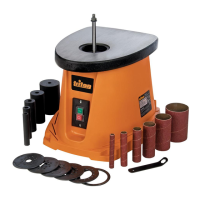
Triton TSPSP650 - User Manual

Triton TSPSP650
30 pages
Print Icon
To Next Page IconTo Next Page
Loading...
Version date: 22.10.18
tritontools.com
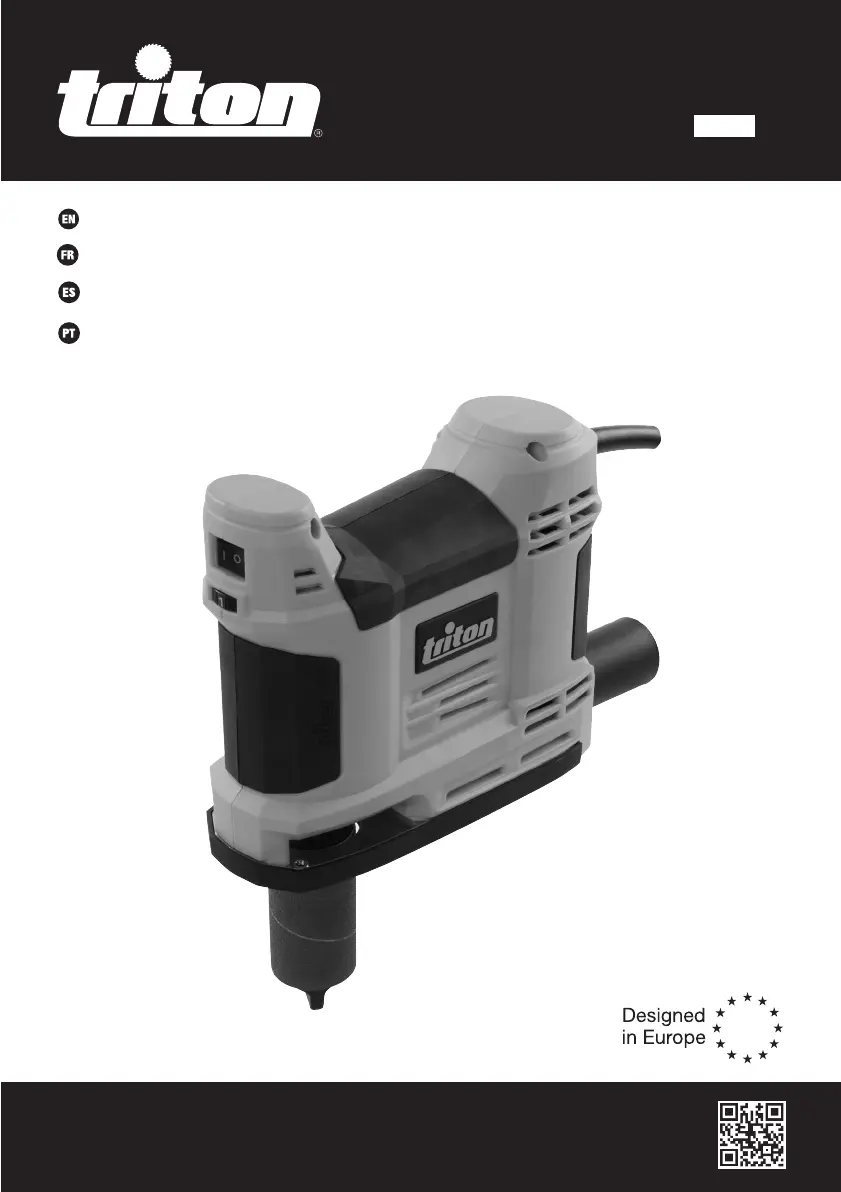
TSPSP 650
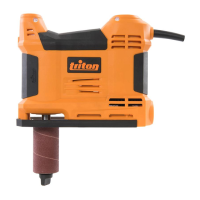
5A Portable Oscillating
Spindle Sander
Operating & Safety Instructions
Instruções de
Operação e Segurança
Instructions d’utilisation
et consignes de sécurité
Instrucciones de
uso y de seguridad
825289_Manual.indd 1 22/10/2018 12:54

Questions and Answers

  • J
    Jessica PooleJul 27, 2025
    How to fix a Triton TSPSP650 Sander that won't turn on?
    • C
      Curtis ThomasJul 27, 2025
      If your Triton Sander isn't working when you use the ON/OFF switch, first check the power supply. If the power supply is fine, the ON/OFF switch might be defective and need replacement by an authorised Triton service centre.
  • G
    Gloria BeckJul 31, 2025
    Why is my Triton TSPSP650 emitting so much dust?
    • M
      Michael TurnerJul 31, 2025
      If your Triton Sander emits too much dust, check that the vacuum dust extraction system is connected properly, including the hose and Dust Extraction Port Adaptor (if used), and ensure the extraction system is switched on. Also, check if the dust extraction is working and not blocked; if it is blocked, unblock it. If problems persist, consult a Triton service centre.
  • Q
    qreynoldsAug 4, 2025
    How to prevent burn marks when sanding with my Triton TSPSP650 Sander?
    • T
      Tyler ChandlerAug 5, 2025
      If your Triton Sander is leaving burn marks, it could be due to an incompatible Sanding Sleeve. Try fitting the correct Sanding Sleeve for your material. Also, the tool speed might be too high, so decrease it. Finally, you might be applying too much pressure; use less pressure while moving the sander.
  • J
    Jill SimsAug 8, 2025
    What to do if my Triton Sander removes material too slowly?
    • C
      Crystal BarrettAug 8, 2025
      If your Triton Sander isn't removing material quickly enough, the Sanding Sleeve (9) may be too fine or worn. Try fitting a new Sanding Sleeve with a coarser grit. Additionally, the tool speed might be set too low; increase it.
  • D
    Derrick WalshAug 13, 2025
    Why does my Triton TSPSP650 leave scratches on the workpiece?
    • M
      michaelrodriguezAug 13, 2025
      If your Triton Sander is leaving scratches on the workpiece, the Sanding Sleeve might be too coarse. Try fitting a new Sanding Sleeve with a finer grit. Also, ensure you are sanding long enough to remove enough material; continue sanding.
  • M
    Michelle PhelpsAug 17, 2025
    What causes motor problems in my Triton TSPSP650?
    • D
      Dennis MillerAug 17, 2025
      If your Triton Sander's motor is cutting out, losing performance, and producing sparks or burning smells, the carbon brushes are likely worn. Have the brushes replaced by an authorised Triton service centre.
  • Z
    zgrantAug 21, 2025
    What to do if my Triton Sander motor runs, but there is no sanding action?
    • E
      Elizabeth BrownAug 21, 2025
      If your Triton Sander motor is running but there's no sanding action when the ON/OFF Switch (2) is operated, the gears may not be engaged. Consult a Triton service centre.

Summary

Operating & Safety Instructions

Introduction, Symbols, and Specifications

Covers product introduction, symbol meanings, and technical specifications.

General Safety Rules

Essential safety guidelines for operating the spindle sander.

Grounding and Specific Safety

Detailed grounding instructions and safety precautions for sanding.

Tool Familiarisation and Operation

Parts, Intended Use, and Sleeve Fitting

Identifies tool parts, defines use, and guides sleeve attachment.

Dust Extraction and Speed Control

Instructions for dust extraction setup and speed adjustment.

Sanding Techniques and Tips

Covers edge sanding, bench mounting, general tips, and metal sanding.

Maintenance, Troubleshooting, and Support

Maintenance and Cleaning Procedures

Guidelines for tool inspection, lubrication, and cleaning.

Troubleshooting Common Issues

Addresses problems with power, motor, sanding action, and dust emission.

Guarantee and Purchase Information

Details on product warranty, registration, and purchase records.

Triton TSPSP650 Specifications

General IconGeneral
Power650W
Sanding Pad Size150mm
Orbit Diameter5mm
Dust ExtractionYes
Pad Size150mm
Power SourceCorded Electric

Related product manuals