EasyManua.ls Logo

Triumph Adler P-4030DN - User Manual

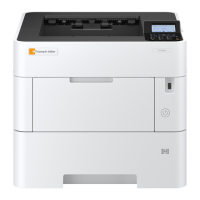
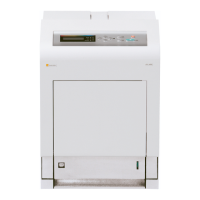
Triumph Adler P-4030DN
312 pages
Print Icon
To Next Page IconTo Next Page
Loading...
P-4030D/4030DN/4530DN/5030DN/6030DN
User Manual
P-4030D / 4030DN / 4530DN / 5030DN / 6030DN
Laser Printer b / w
Print
A4
EN

Table of Contents

Questions and Answers

Summary

Machine Parts

Components at the Front;Right of the Printer

Identifies and illustrates the external components located on the front and right side of the printer.

Internal Components

Illustrates and labels the internal parts of the printer, including the toner container and developer unit.

Operation Panel

Details the layout and function of each key and indicator on the printer's control panel.

Preparation Before Use

Installing Software

Provides step-by-step instructions for installing printer drivers and utilities from the product library disc.

Loading Paper

Explains how to load paper correctly into the printer's cassette and multi-purpose (MP) tray.

Printing

Printing from Applications

Guides users on how to print documents from various computer applications.

Printer Driver Print Settings

Describes the various tabs and settings available within the printer driver interface.

Operation Panel Functions

Message Display and Indicators

Explains the meaning of messages and status indicators shown on the printer's display.

Printer Control Keys

Details the function and operation of each key on the printer's control panel.

Network Settings Configuration

Guides users through configuring network parameters like TCP/IP, IPv4, and IPv6 settings.

Document Box Features

Custom Box Management

Covers creation, editing, deletion, and settings for custom document storage boxes.

Job Box Operations

Explains the functionality of Job Box modes like Quick Copy, Proof-and-Hold, and Private Print.

Maintenance Procedures

Toner Container Replacement

Provides instructions for replacing the toner container and handling related supplies.

Printer Cleaning Guide

Details the steps for cleaning the interior of the printer to maintain print quality.

Troubleshooting Common Issues

General Troubleshooting Guidelines

Offers basic solutions for common printer problems and general tips for resolving issues.

Printer Error Messages

Lists common error messages and provides corrective actions for self-resolution.

Clearing Paper Jams

Provides detailed instructions and diagrams for clearing paper jams in various printer locations.

Appendix Reference

Printer Options Overview

Describes optional hardware components available for the printer, like memory and feeders.

Paper Specifications and Guidelines

Details paper requirements, sizes, weights, and handling recommendations for optimal printing.

Machine Specifications

Lists the technical specifications of the printer model, including performance and environmental data.

Triumph Adler P-4030DN Specifications

General IconGeneral
Print TechnologyLaser
Print Resolution1200 x 1200 dpi
Duplex PrintingYes
Paper Capacity250 sheets
Maximum Paper SizeA4
ConnectivityUSB 2.0, Gigabit Ethernet
Monthly Duty Cycle50, 000 pages
Standard Input Capacity250 sheets
Multi-purpose Tray Capacity50 sheets
Maximum Output Capacity150 sheets
Standard Printer LanguagesPCL 6, PostScript 3
Standard Memory256 MB
Print Speed (Black)30 ppm
Warm-up TimeLess than 15 seconds
Standard Output Capacity150 sheets
Maximum Memory1280 MB
Mobile Printing TechnologiesApple AirPrint, Google Cloud Print
Memory256 MB
Operating System CompatibilityWindows, Linux, Mac OS
Print Speed30 pages per minute

Related product manuals