EasyManua.ls Logo

Triumph Adler P-3521DN - User Manual

Triumph Adler P-3521DN
130 pages
Print Icon
To Next Page IconTo Next Page
Loading...
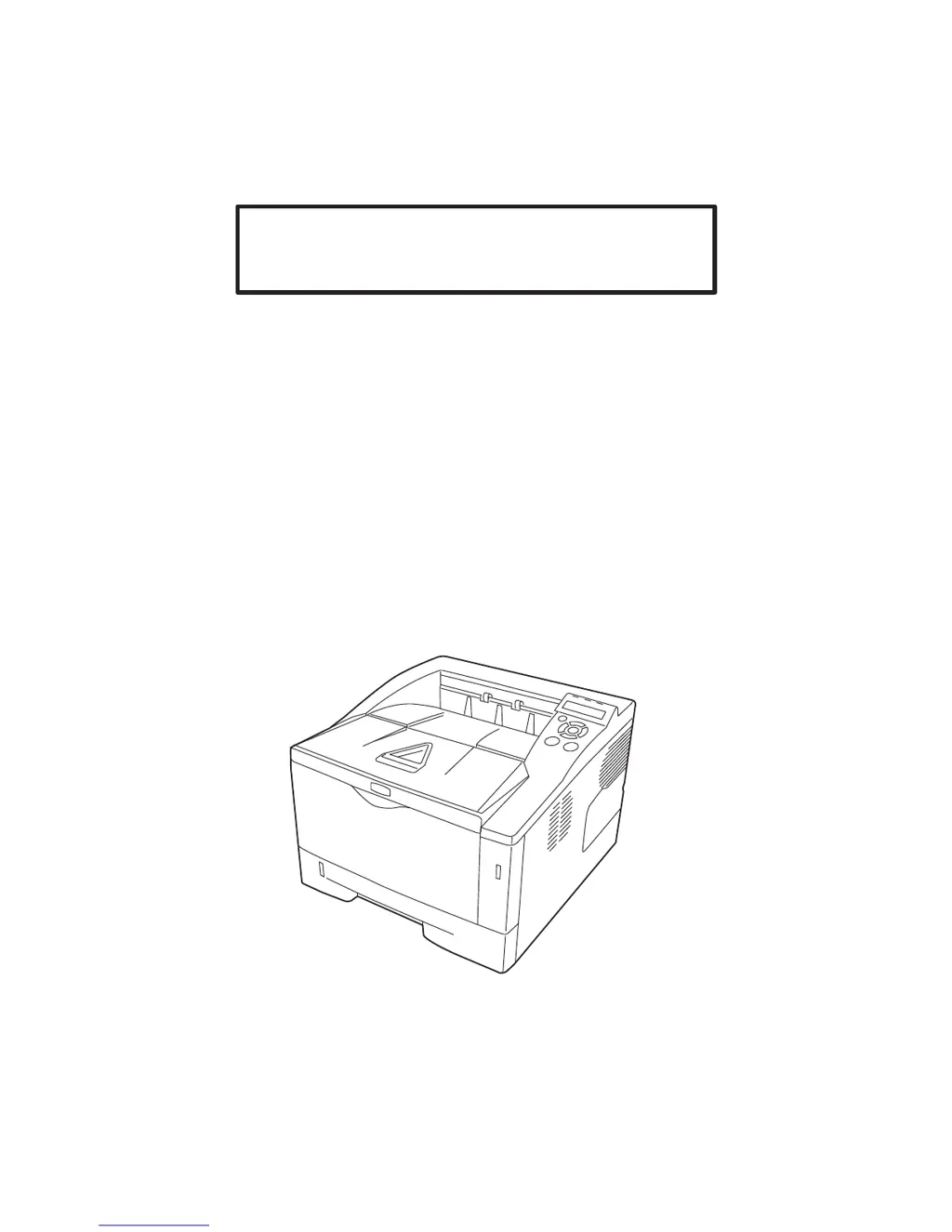
Advanced Operation Guide
P-3521DN

Table of Contents

Other manuals for Triumph Adler P-3521DN

Questions and Answers

  • C
    Chelsea SmithSep 7, 2025
    How to remove dirt from paper in Triumph Adler Printer?
    • J
      Jacob CobbSep 7, 2025
      If your Triumph Adler Printer is leaving dirt on the top edge or back of the paper, if the problem is not solved even after printing several pages, clean the registration roller. If the problem is not solved after cleaning, call for service representative.
  • F
    Frank MillerAug 25, 2025
    Why is my Triumph Adler P-3521DN Printer printing completely blank pages?
    • T
      Tiffany HuertaAug 25, 2025
      Check the toner container of your Triumph Adler Printer. Open the front cover and make sure that the toner container is correctly installed in the printer. Refer to Toner Container Replacement on page 4-2.
  • A
    Ashley FrazierAug 25, 2025
    What to do when Triumph Adler P-3521DN Printer says 'Replace toner'?
    • W
      wendy67Aug 26, 2025
      When the message 'Replace toner' appears on your Triumph Adler Printer, it means that the toner has run out in the toner container. Replace the toner container using a new toner kit.
  • P
    Paula GonzalezSep 17, 2025
    Why is my Triumph Adler Printer printing blank pages?
    • D
      Dr. David JoyceSep 17, 2025
      If your Triumph Adler printer is producing completely blank printouts, open the front cover and check that the toner container is correctly installed in the printer.
  • S
    Sergio JacksonSep 23, 2025
    How to resolve 'Memory overflow' error on Triumph Adler Printer?
    • R
      Rhonda MooneySep 23, 2025
      The 'Memory overflow Press GO' message on your Triumph Adler printer indicates that the total amount of data received by the printer exceeds the printer’s internal memory. Try adding more memory. Press [GO] to resume printing.
  • J
    James HarrisSep 12, 2025
    What does 'KPDL error' mean on Triumph Adler P-3521DN Printer?
    • C
      Christina VelazquezSep 12, 2025
      If your Triumph Adler Printer displays 'KPDL error ## Press GO', the current print processing cannot continue because of occurrence of KPDL error which is categorized by ##. To print out an error report, display >>Error Report from the menu system, and select On. Press [GO] to resume printing.
  • M
    michael33Sep 3, 2025
    What does 'Duplex disabled Press GO' mean on Triumph Adler Printer?
    • J
      Jessica McleanSep 3, 2025
      If your Triumph Adler Printer displays 'Duplex disabled Press GO', you attempted to print with a paper size and paper type that cannot be used for duplex printing. Press [GO] to print onto one side of the paper only. You can select an alternative paper size and type by pressing the ? or ?. You can also press [MENU] and change the tray setting inside the menu, which will automatically cancel the error and output resumes.
  • J
    Jasmine KeySep 3, 2025
    What does 'Install MK' mean on Triumph Adler P-3521DN Printer?
    • K
      Kimberly MuellerSep 3, 2025
      If your Triumph Adler Printer displays 'Install MK', replace the Maintenance Kit which is displayed on the message display. Replacement of the maintenance kit is necessary at every 100,000 pages of printing and requires professional servicing. Contact your service technician.
  • J
    Jason DixonSep 23, 2025
    What does 'Print overrun' mean on Triumph Adler Printer?
    • C
      Colleen CastilloSep 23, 2025
      The 'Print overrun Press GO' message on your Triumph Adler printer means the print job transferred to the printer was too complex to print on a page. Press [GO] to resume printing. (A page break may be automatically inserted in some places.) You can abandon printing by pressing [Cancel]. If Auto Error Clear is set to On, printing will be automatically resumed after a preset period of time.
  • J
    John RiceAug 29, 2025
    Why is my Triumph Adler Printer printing incomplete or out of position?
    • B
      Brandi WilliamsAug 29, 2025
      If your Triumph Adler Printer is printing incomplete or out-of-position documents, verify that the printing settings are correct in both the application software and the printer driver. Also, check for PRESCRIBE command errors, especially if the issue occurs with a specific file or program, indicating a possible error in a command parameter or syntax.

Summary

Paper Handling

Selecting and Using Paper Types

Provides guidelines for choosing paper, covering condition, composition, sizes, smoothness, weight, and moisture.

Using the Operation Panel

USB Memory Operations

Manages files on USB memory, including printing, copying, and removing the device.

Paper and Print Configuration Settings

Configures paper size, type, and custom settings, as well as print parameters like quality and feed modes.

Network Settings

Configures network protocols (TCP/IP v4/v6) and interface options for printer connectivity.

Optional Network Settings

Manages settings for optional network interface kits (IB-50, IB-51) for enhanced connectivity.

Option

Computer Interface

Triumph Adler P-3521DN Specifications

General IconGeneral
Print TechnologyLaser
Print Speed (Black)35 ppm
Print Resolution1200 x 1200 dpi
Duplex PrintingYes
Paper Capacity250 sheets
Maximum Paper SizeA4
ConnectivityUSB 2.0, Ethernet
Warm-up Time15 seconds
Multi-purpose Tray Capacity50 sheets
Processor Frequency800 MHz
Operating Systems CompatibilityWindows, Linux, macOS
Maximum Input Capacity800 sheets
Standard Output Capacity150 sheets
Maximum Output Capacity150 sheets
Paper Tray Media TypesPlain paper
Multi-purpose Tray Media TypesPlain paper, Envelopes, Labels

Related product manuals