Phone Functions
28
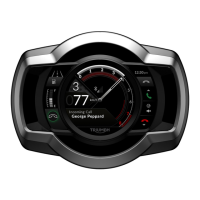
During a call:
Joystick centre to end the
call.
You cannot adjust the volume of the
call. We recommend that you set the
call volume on your headset before you
begin your journey.
Notifications are enabled and disabled
through the Notifications option (see
page15).
Outgoing Calls
You can use the instruments to make
calls through the connected phone,
either by selecting a contact from the
phonebook or by dialling a number.
To make a call using the phonebook:
1. Use the joystick to select Bluetooth
> Call > Phonebook
2. Use the displayed keyboard to
locate the required contact.
To make a call by dialling a number:
1. Use the joystick to select Bluetooth
> Call > Dial Number
2. Use the displayed keyboard to enter
the required number.
To control a call in progress:
Joystick up to mute and
unmute the speaker
volume.
Joystick centre to end the
call.
Joystick down to mute and
unmute the microphone
volume.
If the other party or the network ends
the call, this is indicated on the
instruments.


 To Next Page