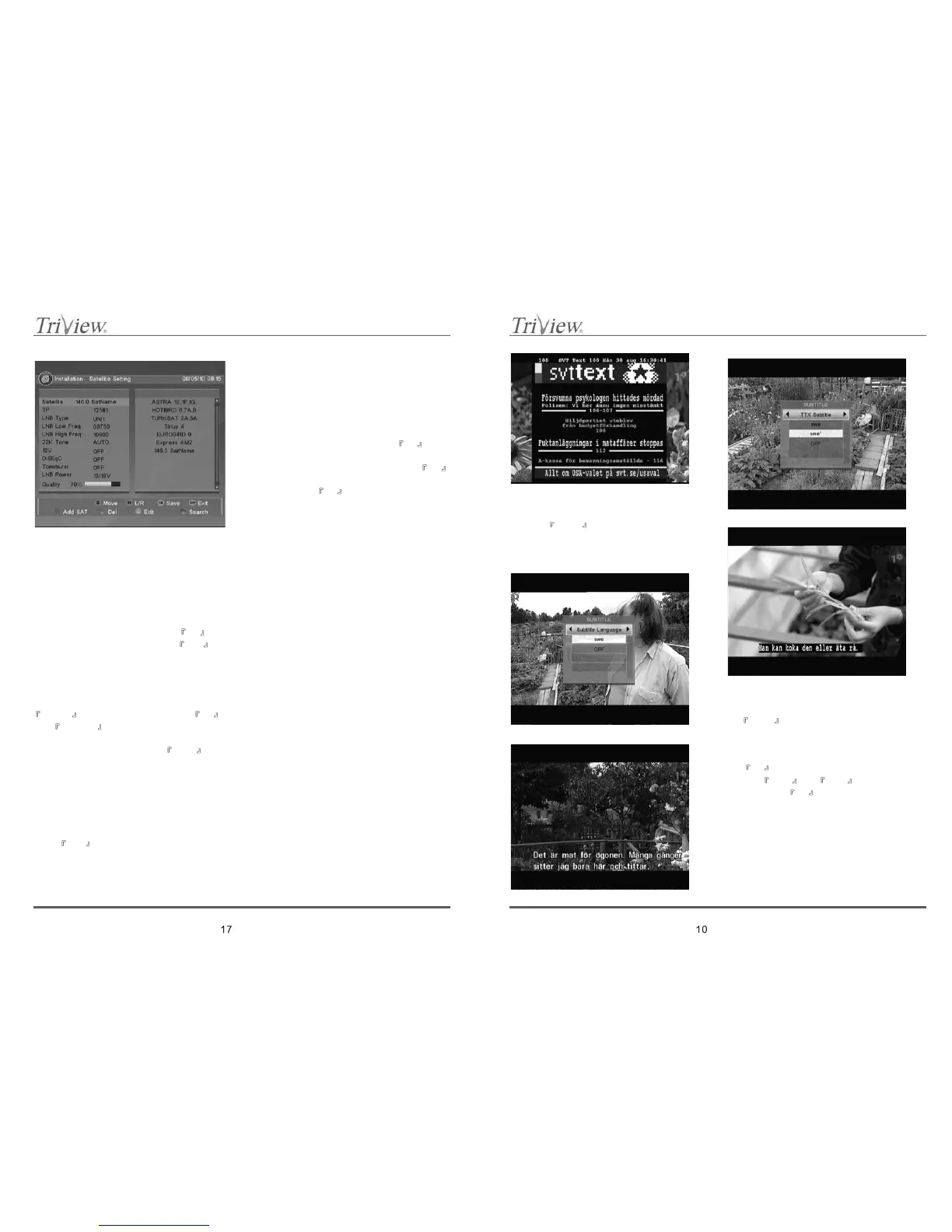
Main window have two parts; left with actual settings
and left which present all possible option for chosen
parameter.
Possible settings:
1. Satellite.
Actual satellite name is displayed on the left. Right
part will list all actually programmed satellites. To
change active satellite, choose new one from
presented list and confirm by pressing
OK .
To add to the list new satellites, press
RED
special button. In new window, you can select
preferred satellites. You can choose between
satellites stored in receiver’s memory and option „Add
SAT” by which you can define your own satellite.
To delete active satellite from the list, press
GREEN special button and confirm by OK .
Use
YELLOW special button to change satellite
name.
To begin satellite searching, press
BLUE special
button.
CAUTION: It is not possible to remove from the
satellites of default list.
2. Transponder.
Choosing this option will show the transponders list
for actual satellite.
Press
RED special button to change motor
settings:
Motor position: One of stored in receiver’s memory
motor positions can be chosen.
Move Continue. Motor can be moved in east/west
direction continuously.
Move Step. Motor can be moved in east/west
direction by steps. Use this option to small & slow
correction of dish position.
SetEastLimit/SetWestLimit.
Allow to define position limits e.g. to not hit into
barrier. Find critical position and press
OK to
storeitinmemory.
Disable Limit. Choose this option and press
OK
to deactivate defined limits.
Goto Ref. Press
OK to set dish in reference
position.
OK. Select and confirm OK button in displayed
window to store and set entered settings.
3. LNB Type.
You can choose LNB type which will be use to
receive signal from satellite.
4. LNB Low Freq / LNB High Freq
If active LNB type allows this, you can define upper
and / or lower LNB frequency limit.
5. 22K Tone.
If active LNB type allows this, you can enable /
disable 22kHz tone.
6. 12V.
Enable / disable 12V output.
7. DiSEqC.
You can switch between four DiSEqC ports.
8. Toneburst.
Enable / disable toneburts.
9. LNB Power.
You can choose LNB power.
11.2 Search channels
Main window is shared on two parts; left present
satellite list, right – all parameters of actually chosen
satellite:
8.17 Subtitle
1. When receiver is in full screen mode, press
button
SUB (GREEN) to enable/disable
subtitles displayed on the bottom of the screen.
This function is working only with channels which
broadcast in signal subtitle information.
8.18 ZOOM
1. When receiver is in full screen mode, press
ZOOM (Yellow) to start zoom function.
8.19 MULTI-PICTURES
1. When receiver is in full screen mode, press
MP (Blue)to start zoon function.
2. Use
▲,▼ and ◄,► to select channel,
then Press
OK to view the channel.



 To Next Page