page 23 page 24
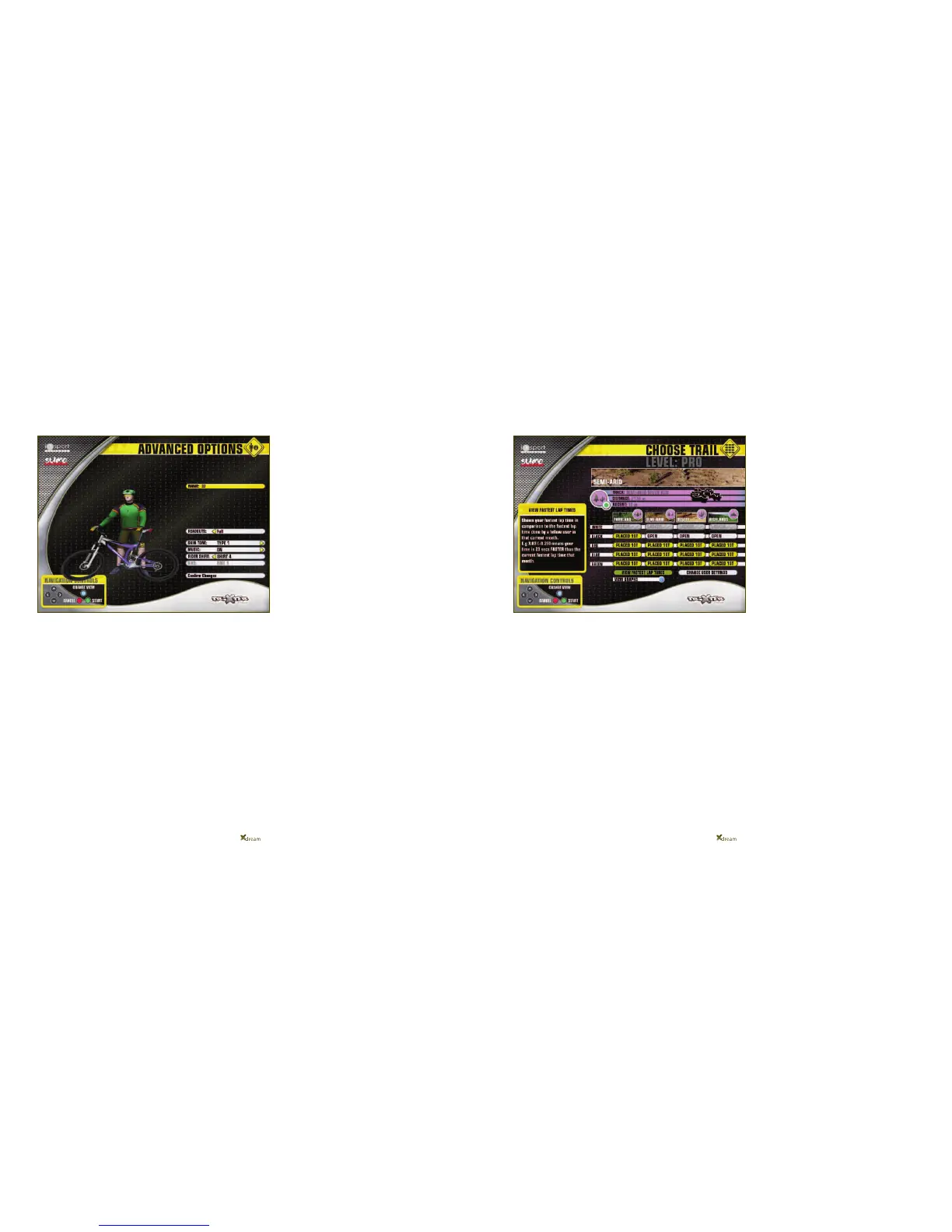
In the ADVANCED OPTIONS, you can change the
appearance of your rider on screen, and turn the MUSIC
On or Off. Use the navigation arrows to change your skin
tone, and/or your bike kit for example – have some fun
with it!
As you progress up through the fitness levels, you will be
rewarded with new ride kit and new bikes so watch out
for new options!
Highlight CONFIRM CHANGES, press GREEN and press
GREEN again to CONFIRM and save your user account.
That’s it! Your user profile is done!
A short tutorial will play after your user profile has
been saved. This tutorial is very informative and
gives some great tips on how to get the best out of
your Xdream workouts so please watch and learn!
Xdream Fitness Mode – Your Virtual Personal Trainer!
The Matrix screen above is the first of four tiers of your
personal workout schedule, the BEGINNER tier.
You can view the map of each trail, as well as its length
and biggest ascent by highlighting the trail you are
interested in, using the arrows on the console.
The map of the particular trail and its other details will
then appear above the trail matrix.
As a new user, not only is your fitness level defaulted to
Fitness Level 1 but only the easiest category of races,
GREEN category, are available to you to ride. The other
layers are locked out to you. This is where the motivation
and reward aspect of Xdream Fitness really comes into
play!
The only way that you can progress your Fitness Level
from Level 1 to Level 2 and beyond, is by riding one of
the four GREEN category rides, beat all of your five
onscreen competitors and come FIRST in the race.
If you come FIRST in the race, you will have exceeded
the fitness level criteria for Fitness Level 1 and thus you
will start your next race at Fitness Level 2.
Be warned though that as your Fitness Level increases
so do the fitness levels of your ‘OnScreen Competitors’ -
these pacemaker riders are there to motivate you and
push you to improve!
The only way that you can UNLOCK the BLUE category
layer of races and beyond, is by coming FIRST in all of
the four GREEN category races.
So not only are you motivated to beat the onscreen
competitors and win the races to improve your fitness
levels, but you are also motivated by the desire to
access the LOCKED OUT categories of trails.
This screen will appear as soon as the tutorial
finishes or whenever you log into your user account
and select Xdream Fitness Mode.
Your unique user profile will become a permanent
record of each and every race you ride in Xdream
Fitness Mode and how you perform in each race.
(continued)


 To Next Page