13
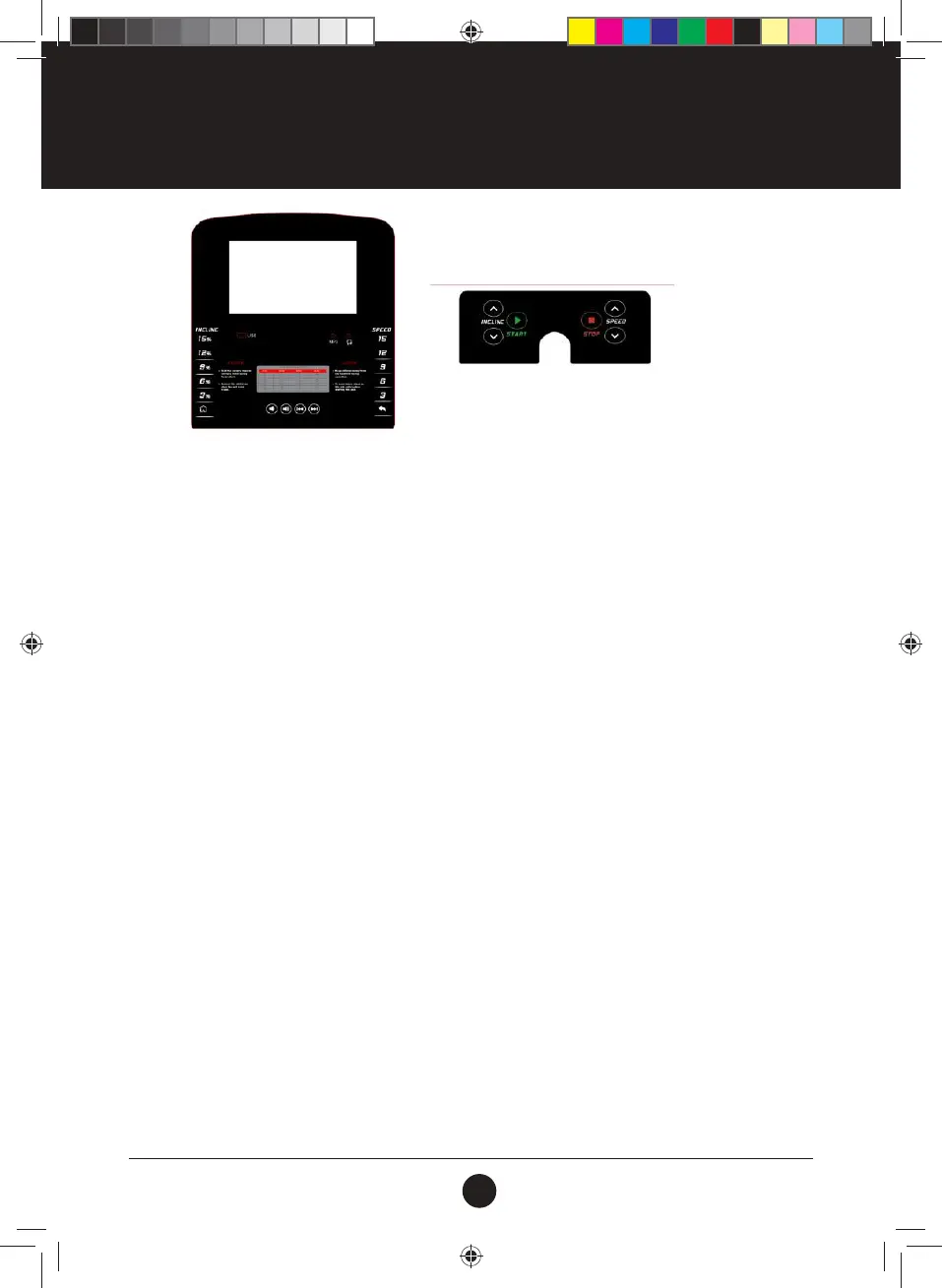
CONSOLE FUNCTIONS
FUNCTION BUTTON:
SPEED: Displays speed data;
TIME / HEART RATE: Displays time and heart rate data. Displays heartbeat rst while in
operation;
DISTANCE / CALORIE / INCLINE: Displays distance / calorie / incline data and displays these in order
of operation. Press “MODE” to switch between the selections. Incline
will be displayed rst for the section change and for stop; if the
incline is 0, the distance data will be shown;
STEP: Displays the step count.
FUNCTIONS AND OPERATIONS:
PROGRAM: When the treadmill is in standby mode, press PROGRAM to make a selection
between: P1 - P18 as well as U01 - U03 and FAT.
MODE: When the treadmill is in standby mode, press MODE to make a selection
between: default mode, time countdown, distance countdown and calorie
countdown mode.
START: When the treadmill is in standby mode, press START to start the treadmill.
STOP: When the motor is running, press STOP to stop the treadmill.
SPEED +: When the treadmill is in standby mode press SPEED + to increase the set value.
When the treadmill is running, press SPEED + to increase the speed.
SPEED -: When the treadmill is in standby mode press SPEED - to decrease the set
value. When the treadmill is running, press SPEED - to decrease the speed.
INCLINE +: When the treadmill is in standby mode press INCLINE + to increase the set
value. When the motor is running, press INCLINE + to increase the incline.
INCLINE -: When the treadmill is in standby mode press INCLINE - to decrease the set
value. When the motor is running, press INCLINE - to decrease the incline.
VOLUME: Adjusts the music volume.
UP/NEXT: Changes the track currently playing.
PROGRAM + MODE: When the safety key is removed, press PROGRAM+MODE for 3 seconds for
metric / inch conversion.
#20M03T020 ELITE 2000 Treadmill UM.indd 13 2020/04/07 10:05 AM










 To Next Page